
 Ali Tanis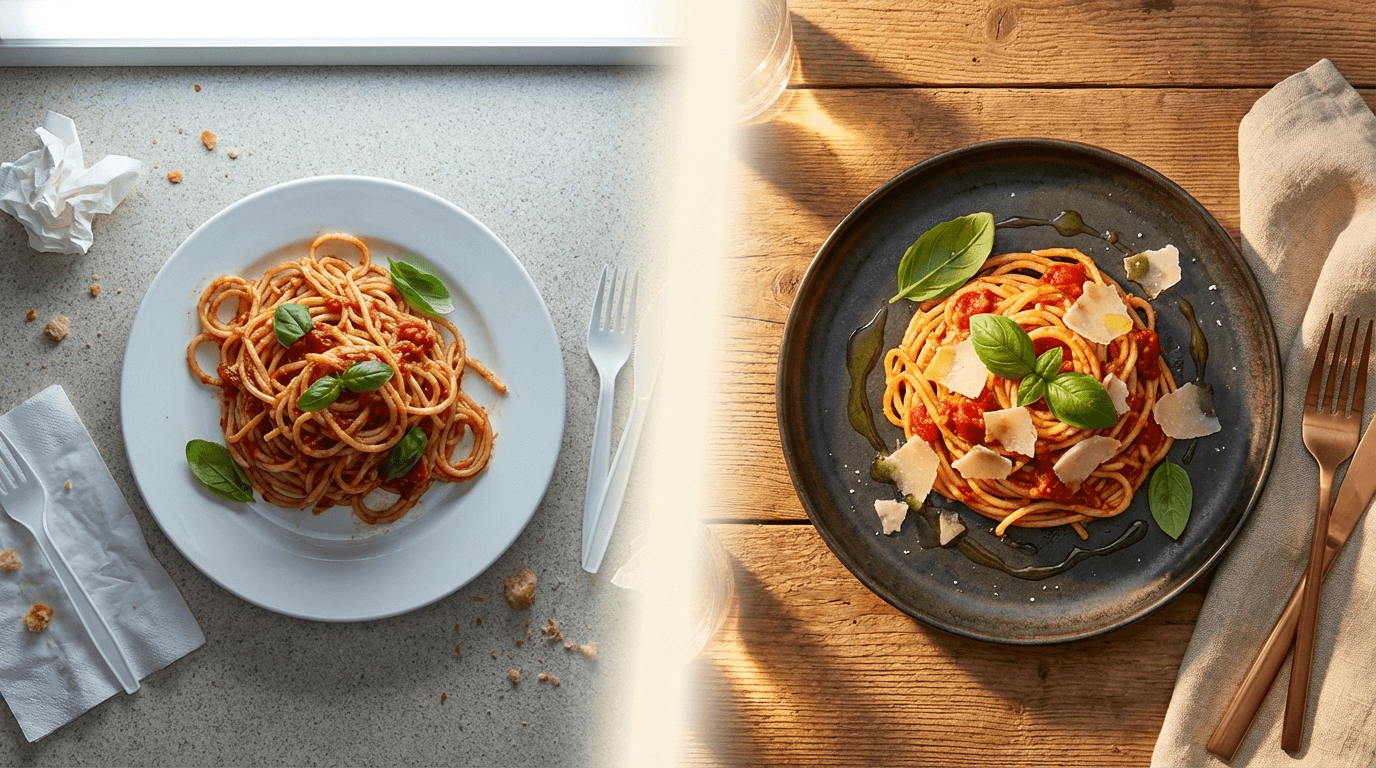
Your food deserves better photos. You know it, your customers know it, and your delivery app conversion rates definitely know it. But professional food photography costs $700–$1,400 per session, takes weeks to schedule, and needs to be redone every time you update your menu.
FoodShot AI is the food photo editor built specifically for restaurants, cafes, and food businesses. Upload any dish photo from your phone, pick a style, and get a professional-quality image back in about 2 minutes. No photography skills. No expensive equipment. No Photoshop expertise.
Quick Summary: FoodShot AI transforms smartphone food photos into professional, menu-ready images in about 2 minutes. With 30+ style presets, background replacement, food styling tools, and built-in poster templates, it's the only photo editor purpose-built for food businesses — at 95% less cost than hiring a photographer.
Transform Any Food Photo Into Professional Quality — In About 2 Minutes
Every style preset in FoodShot's AI food photo editor was designed for a specific purpose. Need delivery-optimized photos for Uber Eats? There's a preset for that. Want fine dining visuals worthy of a magazine spread? Covered. Instagram-ready shots that stop the scroll? Done.
The difference between FoodShot and general-purpose photo editors like Canva or Photoshop? Those tools require design skills and hours of manual work. FoodShot was trained exclusively on professional food photography — it understands food lighting, plating, and styling in ways that generic tools can't replicate.
Choose from 30+ presets across categories:
- Delivery — clean, well-lit images optimized for Uber Eats, DoorDash, and Grubhub listings
- Restaurant — polished menu photos with professional food styling
- Fine Dining — dramatic lighting, elegant plating, magazine-quality presentation
- Cafe & Bakery — warm, inviting aesthetics for brunch spots and coffee shops
- Instagram — vibrant, eye-catching visuals designed for social engagement
- Marketing — bold, branded images for posters, ads, and promotional materials
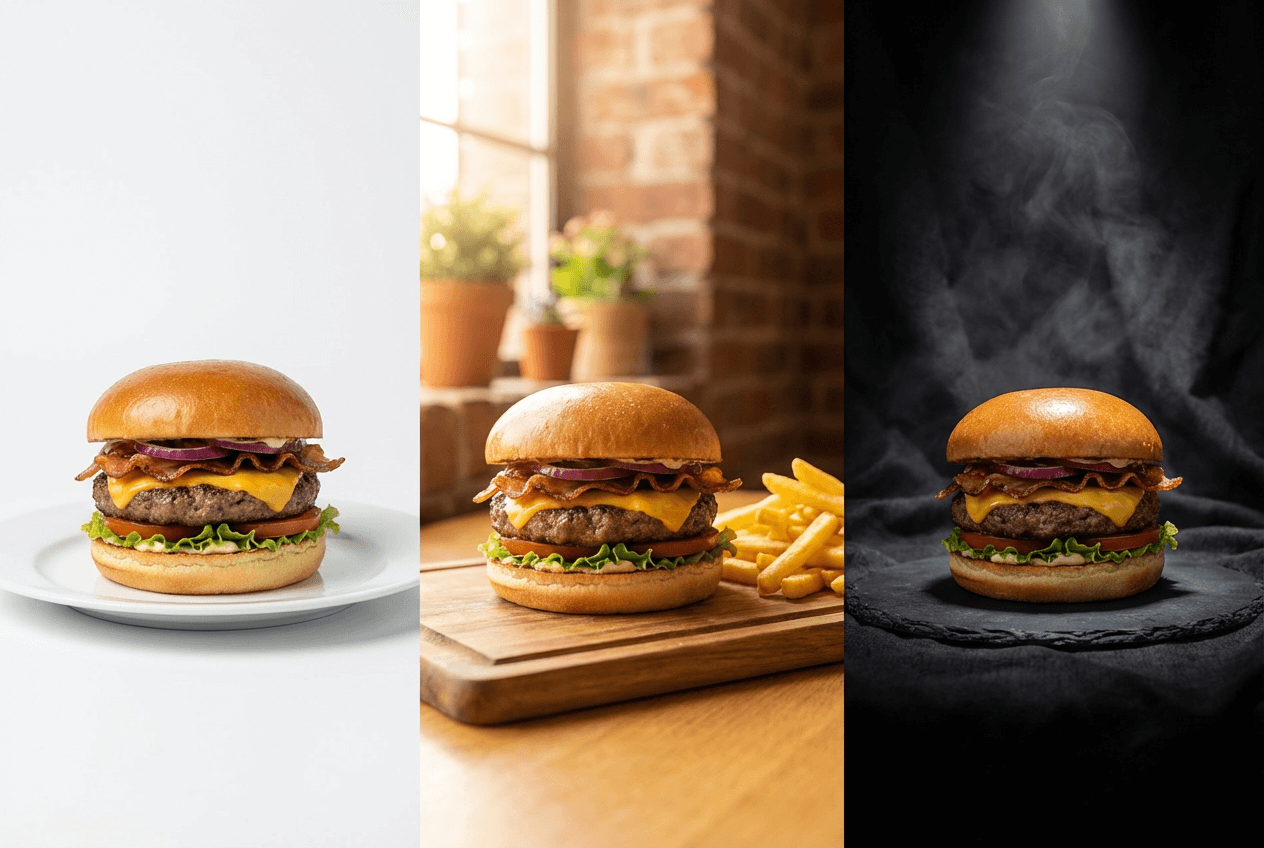 Same burger dish shown in three AI food photo styles: delivery app, restaurant menu, and fine dining presentation
How the AI Food Photo Editor Works
No learning curve. No tutorials needed. Three steps from your phone to a professional food photo.
1. Upload Your Dish Photo
Snap a photo of any dish with your smartphone. Natural kitchen lighting works fine — you don't need a photography studio or ring light. FoodShot's AI handles the rest.
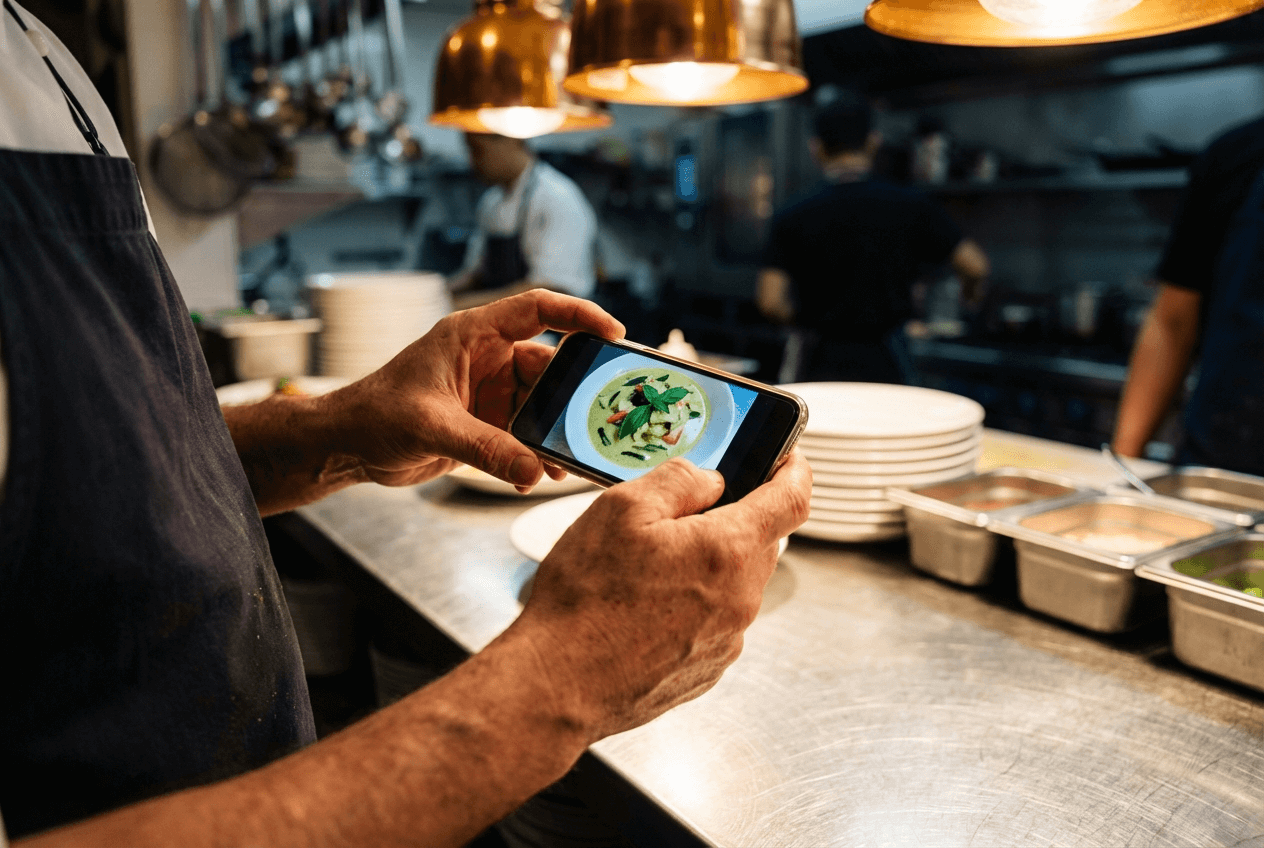 Restaurant owner photographing a dish with a smartphone in a commercial kitchen for AI food photo editing
The better your starting photo, the better your result. But even a quick shot under fluorescent restaurant lighting produces surprisingly professional output. Check out our iPhone food photography tips for easy ways to improve your starting shots.
2. Pick Your Style
Browse 30+ style presets or upload a reference photo from Pinterest to clone a specific aesthetic. Each preset automatically adjusts:
- Lighting — from soft natural window light to dramatic restaurant ambiance
- Background — clean, contextual settings that match the mood
- Food styling — enhanced colors, textures, and plating
- Composition — optimized framing and camera angle
Want to match a food photo you saw on Pinterest or a competitor's Instagram? Use Pinterest food photography style matching — upload any reference image, and the AI replicates the lighting, props, and composition style.
3. Download & Use Everywhere
Your transformed image is ready in about 2 minutes. Every paid plan includes a commercial use license, so you can use your photos on menus, delivery apps, websites, social media, print materials — anywhere.
No watermarks. Private visibility. Your photos, your business.
Every Food Editing Tool You Need in One Place
FoodShot isn't just a filter app. It's a complete food photo editing toolkit designed to replace an entire photography workflow.
AI Style Presets
Thirty-plus presets purpose-built for food photography. Unlike generic Instagram filters that slap a color overlay on your image, FoodShot's presets reconstruct the entire scene — relighting the dish, enhancing food textures, and adjusting the background to match the intended mood.
Each preset category targets a specific use case. Explore all available food photo styles to see the full range in action.
Background Removal & Replacement
Cluttered kitchen counter? Ugly restaurant table? Remove the background entirely and replace it with a professional setting. Choose from curated options:
- Luxury restaurant interiors
- Beach cafe settings
- Rooftop dining venues
- Marble and wooden surfaces
- Clean white/gradient studio backgrounds
You can also upload your own custom backgrounds — useful for maintaining brand-consistent visuals across your entire menu.
Food Styling & Retouching
This is where FoodShot does something general photo editors simply can't. The AI understands food:
- Add garnishes — fresh herbs, microgreens, sauce drizzles
- Remove distractions — fingerprints on plates, messy edges, stray crumbs
- Swap plates — upgrade to more photogenic dinnerware
- Adjust portions — make dishes look generous without being overwhelming
- Fix imperfections — smooth sauces, restore melted cheese, correct plating
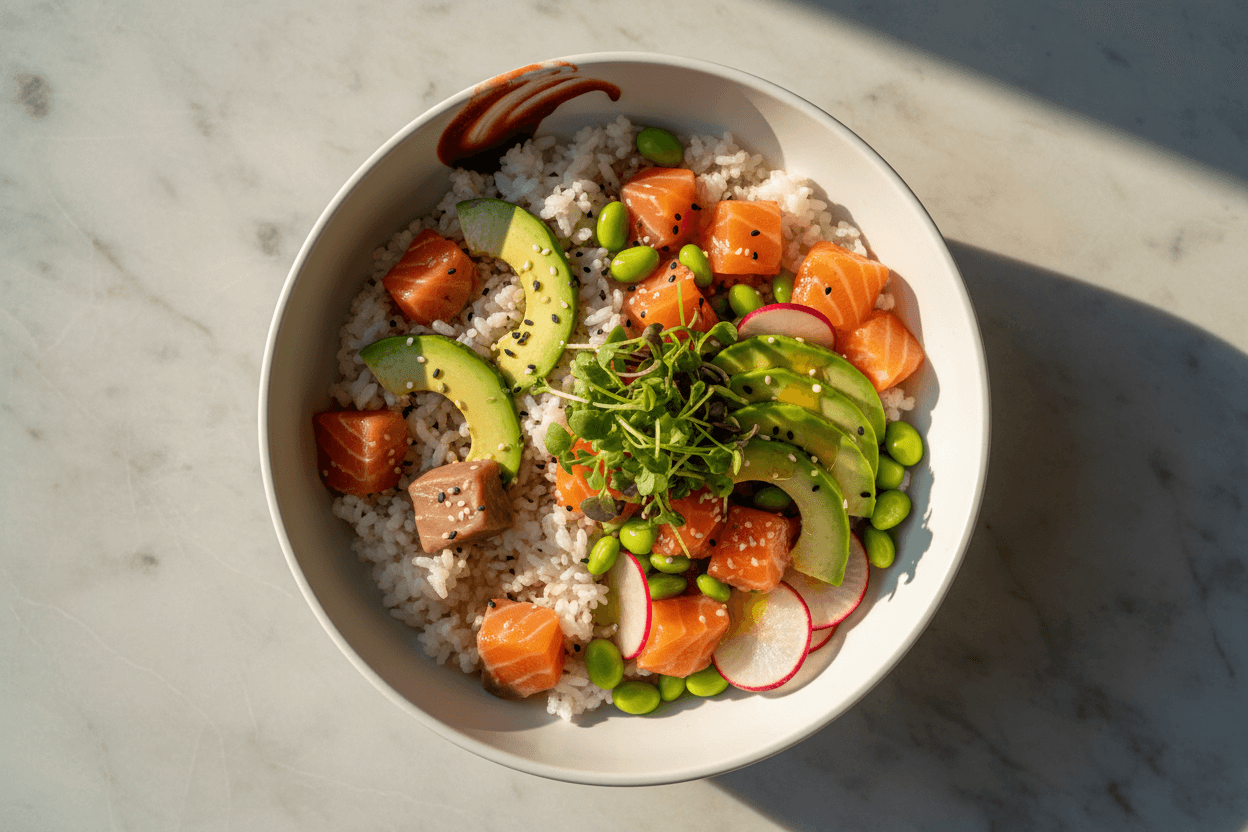 AI food styling and retouching showing a poke bowl before and after professional enhancement
Poster & Social Media Templates
Create ready-to-post marketing materials without a graphic designer. FoodShot includes 50+ poster and template designs for:
- Instagram posts and stories
- Pinterest pins
- Delivery app promotional banners
- Daily special announcements
- Seasonal menu highlights
Upload your own templates for brand consistency, or use the built-in designs and customize them.
Reference Photo Style Matching
Found a food photo on Pinterest that captures exactly the look you want? Upload it as a reference. FoodShot's AI analyzes the lighting, composition, color palette, and styling — then applies that same aesthetic to your dish photo.
This feature alone replaces hours of trying to recreate professional photography looks in Lightroom or Photoshop.
Built for Every Food Platform
Different platforms demand different photo specs. FoodShot handles each one automatically.
Uber Eats & DoorDash
Here's the reality: according to Grubhub and a Limetray study, restaurants with professional menu photos see 25–30% more orders on delivery platforms. A Google-commissioned survey found that viewing food photos is 1.44x more important than reading menu descriptions when customers decide what to order.
But each platform has different requirements. Uber Eats wants a 5:4 aspect ratio at minimum 1200×800px. DoorDash requires 16:9 at minimum 1400×800px. Manually resizing and reformatting every dish photo for multiple platforms is tedious.
FoodShot's Delivery preset produces images that meet these platform specs out of the box. Need more detail on optimizing your delivery listings? See our full guide to food delivery app photography and avoid the common delivery photography mistakes that kill orders.
Instagram & Social Media
Food is the most-photographed subject on Instagram for a reason — it's visual, emotional, and shareable. FoodShot's Instagram-optimized presets create the kind of scroll-stopping images that generate engagement.
Pair your enhanced photos with the built-in poster templates to create a consistent social media feed without hiring a designer. The result: a professional brand presence that builds trust before customers even walk through your door.
Restaurant Menus & Websites
Whether you're updating a printed menu, building a website gallery, or creating a digital menu board, consistency matters. FoodShot lets you apply the same style preset across your entire menu, so every dish photo shares the same lighting, mood, and quality level.
This kind of visual consistency is what separates a professional restaurant brand from an amateur one. Explore how restaurants in different categories use FoodShot: cafe photography · fine dining photography · all use cases.
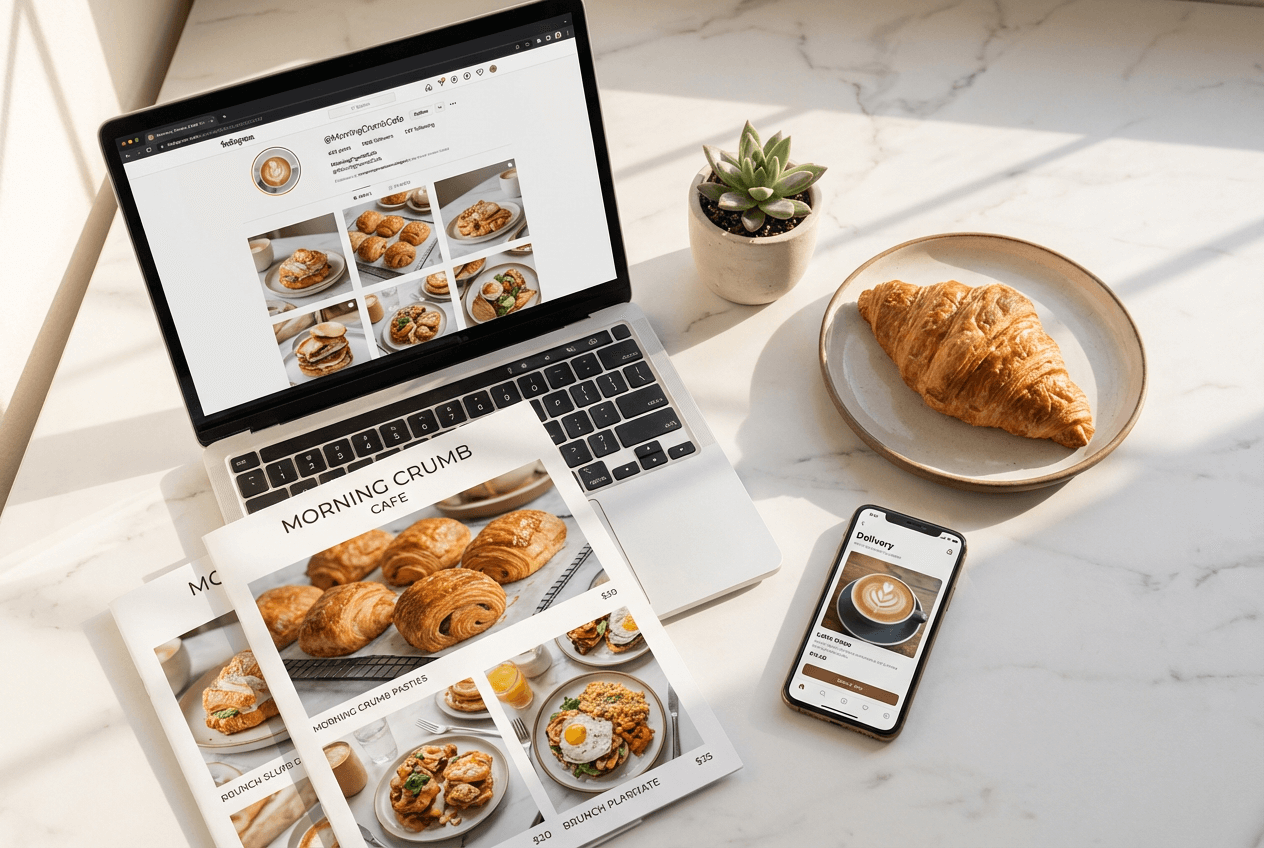 Food photos used across platforms: delivery app on phone, printed restaurant menu, and Instagram social media feed
Why Restaurants Choose FoodShot Over Alternatives
Purpose-built for food. General photo editors like Photoshop, Lightroom, and Canva weren't designed for food photography. They can adjust brightness and add filters, but they can't restyle a dish, swap a plate, or add garnishes. FoodShot was trained exclusively on food imagery — every feature exists to make food look better.
95% less cost. Professional food photography runs $700–$1,400 per session, and you need a new shoot every time your menu changes. FoodShot starts at $15/month for 25 professional-quality images. That's roughly $0.60 per photo.
Zero learning curve. Photoshop takes months to learn. Lightroom requires an understanding of exposure, color theory, and masking. FoodShot requires uploading a photo and clicking a button.
About 2 minutes, not an hour. Even a skilled editor needs 30–60 minutes per food photo in Photoshop. FoodShot delivers a finished image in about 2 minutes, and you can process up to 5 photos at once on the Scale plan.
Works on web and iOS. Edit food photos from your browser using the Studio or download the iOS app for iPhone and iPad. Process photos wherever you are — in the kitchen, at home, or on the go.
Plans That Scale With Your Menu
| Plan | Monthly Price | Images/Month | Best For |
|---|---|---|---|
| Starter | $15/mo | 25 | Small cafes, food bloggers |
| Business | $45/mo | 100 | Restaurants with full menus |
| Scale | $99/mo | 250 + bulk processing | Multi-location businesses |
| Enterprise | Custom | Custom | Agencies, franchises |
Save 40% with annual billing on all plans. Every paid plan includes commercial licensing, watermark removal, and private visibility.
→ View all plans and start editing your food photos
Frequently Asked Questions
How do I edit food photos to look professional?
The fastest way: upload your food photo to FoodShot's AI food photo editor, select a style preset that matches your purpose (delivery, restaurant, fine dining, social media), and download the result. The AI handles professional lighting, food styling, and background enhancement automatically.
The traditional way requires a DSLR camera, studio lighting, food styling props, and proficiency in Lightroom or Photoshop. Most restaurants don't have the time, budget, or skills for this — which is exactly why AI food photo editors exist.
Is AI food photo editing good enough for delivery apps?
Yes. FoodShot's Delivery preset produces images that meet Uber Eats and DoorDash photo specifications (resolution, aspect ratio, file size). The photos pass platform review because they're based on your real dish — enhanced, not fabricated.
Given that industry research shows professional menu photos increase orders by 25–30%, upgrading your delivery app images is one of the highest-ROI investments a restaurant can make.
Can I use AI-edited food photos commercially?
All FoodShot paid plans include a commercial use license. Use your edited food photos on menus, delivery platforms, websites, social media, print advertising, and marketing materials. The Enterprise plan adds a resale license for agencies.
What makes FoodShot different from general photo editors?
FoodShot is the only photo editor built exclusively for food photography. General editors (Photoshop, Canva, Snapseed) offer broad editing tools. FoodShot offers food-specific features: AI style presets trained on restaurant photography, food styling tools (add garnishes, swap plates, adjust portions), background replacement with restaurant-appropriate settings, and delivery platform optimization. You won't find these in a general photo editor.
Do I need photography experience to use FoodShot?
None. Snap a photo of your dish with any smartphone, upload it, choose a style, and get a professional result in about 2 minutes. FoodShot was designed for restaurant owners and food businesses, not photographers. If you can take a selfie, you can use FoodShot.