Single cheeseburger with melted cheddar under a sesame brioche bun on a white plate on pale pine wood, framed wide for a cover photo
Whole margherita pizza with a blistered crust, torn mozzarella and fresh basil shot straight down on white marble
Single flat white with a rosetta latte art pour in a plain white ceramic cup, shot from above on seamless white
Single old fashioned in a heavy rocks glass with one large clear ice cube and a wide orange peel on a dark polished wood counter
Single golden butter croissant with a flaky layered crust on a plain white plate on pale oak in soft natural window light
Single bowl of tonkotsu ramen with fanned chashu, two soft egg halves, nori and spring onion shot straight down on dark slate
For Restaurants, Cafes, Bakeries & Bars on Google

Every Google Business Profile photo size, and a food photo worth the slot.

The numbers first. Cover photo: 1024 x 576 pixels, 16:9. Logo: 720 x 720, square. Food and drink, interior, exterior and team photos: 720 x 720 recommended, 250 x 250 minimum. JPG or PNG, between 10 KB and 5 MB. Then the part the spec guides skip: Google shows your food and drink photos in the local pack and the Maps carousel, directly beside the place across the street, and a dim phone snap of a burger loses that comparison every time. FoodShot restyles the real photos already on your phone into listing-ready shots at the exact crop each slot wants, in about 90 seconds, without a reshoot. The dish, the plate and the portion stay exactly what you serve.

Cancel anytime30,000+ food businesses

Trusted by teams on

DoorDashUber EatsGrubhubDeliverooJust EatWoltOpenTableYelpFoodpandaToast

The same dish, at Google's exact crop ratios

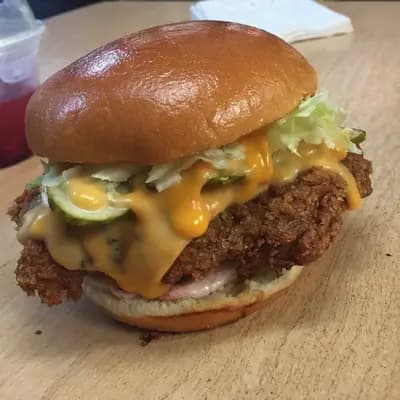
Original smartphone food photo before FoodShot AI enhancement
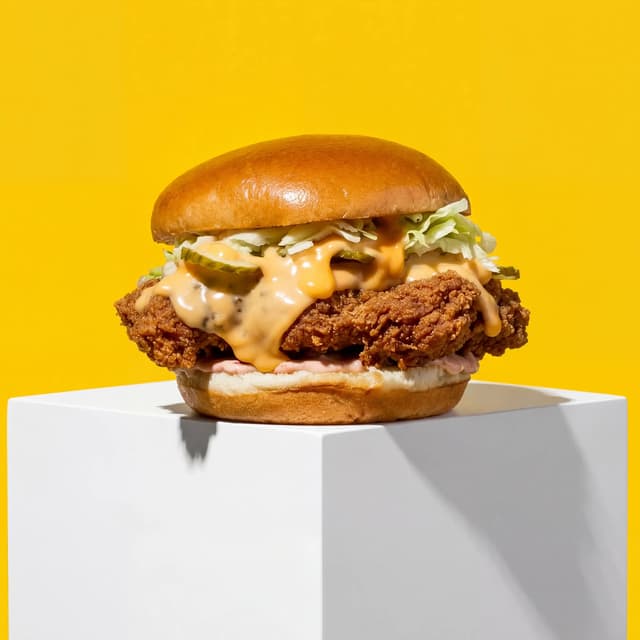
Studio-quality food photography generated by FoodShot AI
50,000+

Photos generated

95%

Cost savings

150s

Average time

Every Slot on the Listing

One phone photo, sized for every Google Business Profile slot

Wide spread of a cheeseburger, a basket of fries, a green salad bowl, a rigatoni plate and two lemonades on seamless white

Cover Photo: 1024 x 576, the Wide Hero

Your 16:9 cover framed so the ends can be cut

Overhead two by two grid of a chicken salad bowl, a fettuccine bowl, a plate of three fish tacos and a slice of chocolate cake on white

Food & Drink Photos: Square Crops for the Maps Carousel

Four dishes centred with margin so nothing gets clipped

Overhead square of four pastries, a croissant, a pain au chocolat, a cinnamon roll and an almond croissant on pale maple

Logo Slot: 720 x 720, Square-Safe Framing

Centred subjects with margin that survive the circle crop

Overhead of a dark slate bar table with three cocktails, a plate of three sliders and a bowl of green olives

Interior Shots: Lighting That Survives Google's Compression

Dim tables lit so detail holds after re-encoding

Front row of four starter plates, crispy calamari, tomato bruschetta, glazed chicken wings and arancini on blonde oak

Menu Item Close-Ups: The Photos That Drive 'Order' Taps

Four starters in a row, each one tight enough to tap

Overhead spread of four autumn dishes, pumpkin soup, roast squash salad, mushroom risotto and apple crumble on white marble

Seasonal Refresh: New Photos Without a Reshoot

Autumn specials shot once, restyled for every slot

Brunch spread of a pancake stack, eggs benedict, avocado toast and two flat whites in a row on dark weathered wood

Before & After at GBP Crop Ratios: One Dish, Two Frames

One phone photo, cut for the 16:9 cover and square tile

Features

Built for the one person who manages the listing

Listing Styles

Every slot's crop from one photo, at Google's own numbers

100+ curated styles built around the way a Google listing actually displays food. Upload one phone photo of the dish and FoodShot restyles it and renders it at each Google Business Profile photo size that matters: the 16:9 frame for the 1024 x 576 cover, the 1:1 frame for the 720 x 720 food and drink tile, and a square-safe crop with margin for anything Google will show in a circle. The Google Business Profile photo dimensions are the easy part; what separates you from the place across the street is that your burger is lit and framed like a menu hero at every one of them, and theirs is a dim snap taken under a heat lamp. The dish is still the dish you serve. Only the light, the surface and the crop change.

Explore styles

Builder Mode

Pick the surface and light Google's compression cannot flatten

Google re-encodes every upload, and the photos that fall apart are the ones with no separation: a dark dish on a dark table under a dim pendant. Builder Mode lets you choose a surface, pale oak, white marble, dark slate, and a backdrop that keeps the dish distinct from whatever is behind it, then place the real photo from your phone into that scene. A whole margherita on white marble survives the food and drink tile. An old fashioned on a polished dark counter survives the interior slot. It is the fastest way to get the google my business cover photo and the square tiles looking like they came from the same shoot, because they did: your phone, your counter, one afternoon.

Try Builder Mode

My Styles

Lock the listing look once, refresh it every season

Save your own look once and every new upload inherits it. Google surfaces recent photos, so a listing that still shows August's salad in November is quietly telling diners the kitchen has not changed. With My Styles the autumn specials go up the week they hit the menu: shoot the pumpkin soup on the pass, apply the saved style, export at the google my business photo size for the slot, upload. No reshoot, no photographer, no waiting. The same lock keeps the Maps carousel consistent when three different staff members take the photos, which is the part most guides to the google my business cover photo size never mention: the size is a number, the consistency is the work.

Match your brand

More to explore

One tool, endless possibilities

Before → After

From phone snap to studio shot

See the transformation. Same food, completely different result.

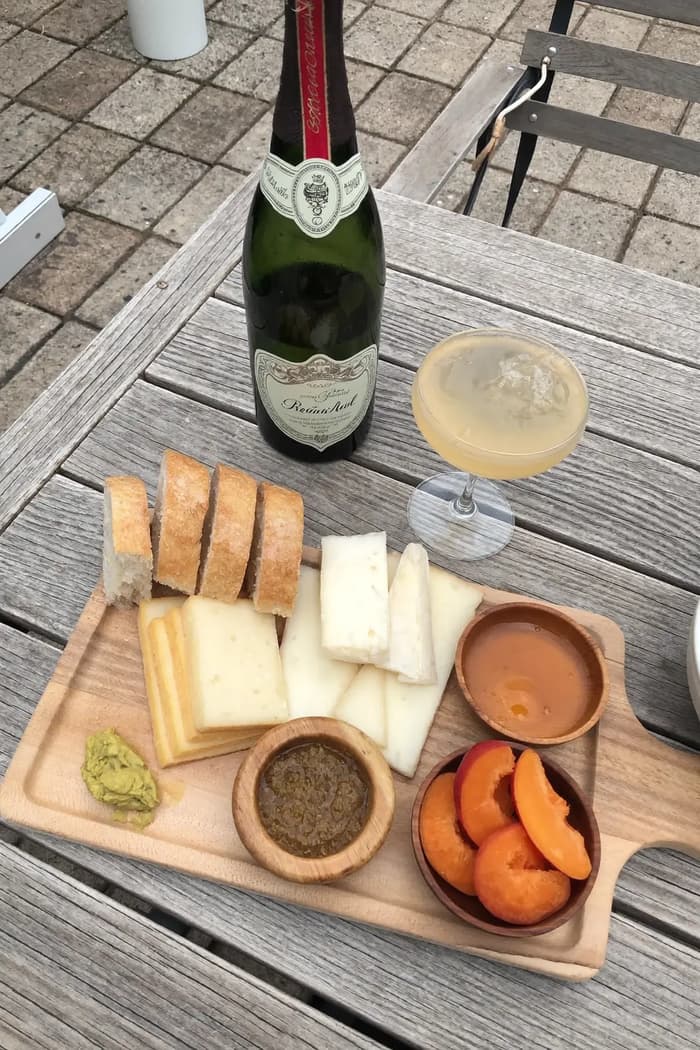
Raw phone food photo before AI enhancement
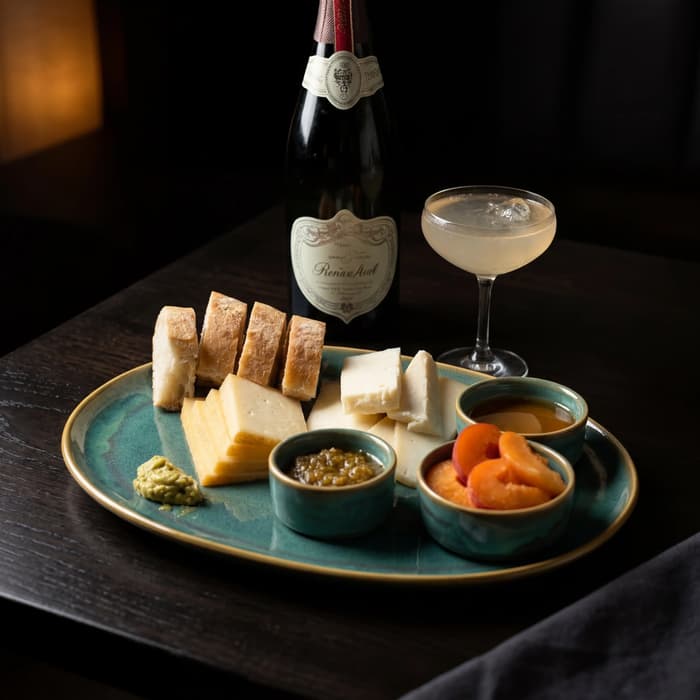
Studio quality food photo after FoodShot processing

Multi-variation

One photo, endless options

Generate multiple styles from a single upload. Pick the best.
Food photo variation - delivery app style
Food photo variation - restaurant menu style
Food photo variation - social media style
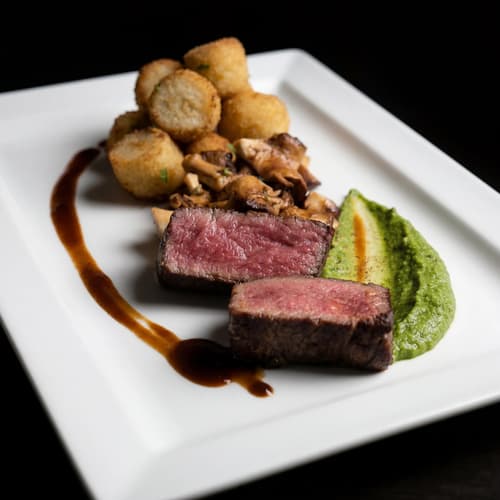
Food photo variation - fine dining style

Poster Mode

Marketing-ready designs

Pick a template, drop your food.
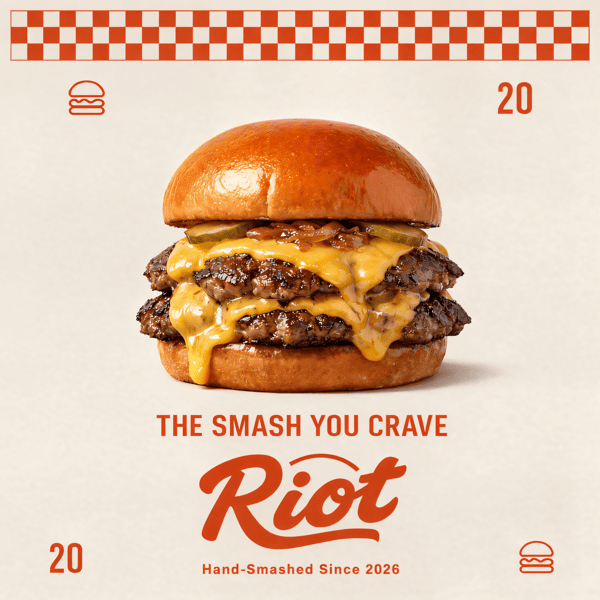
Smash burger restaurant poster design
Cocktail bar promotional poster
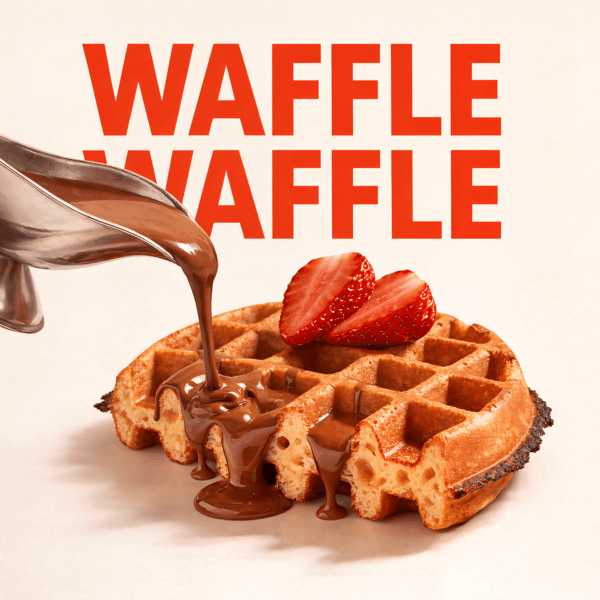
Waffle social media advertisement
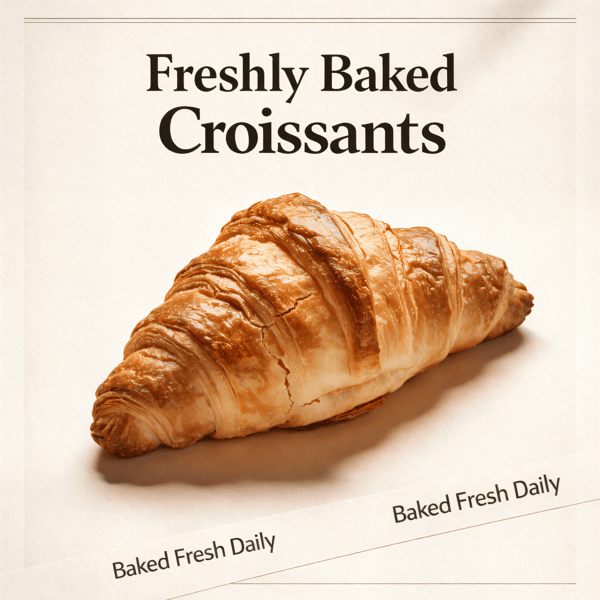
Croissant bakery marketing poster

Prompt Editing

Describe it, get it

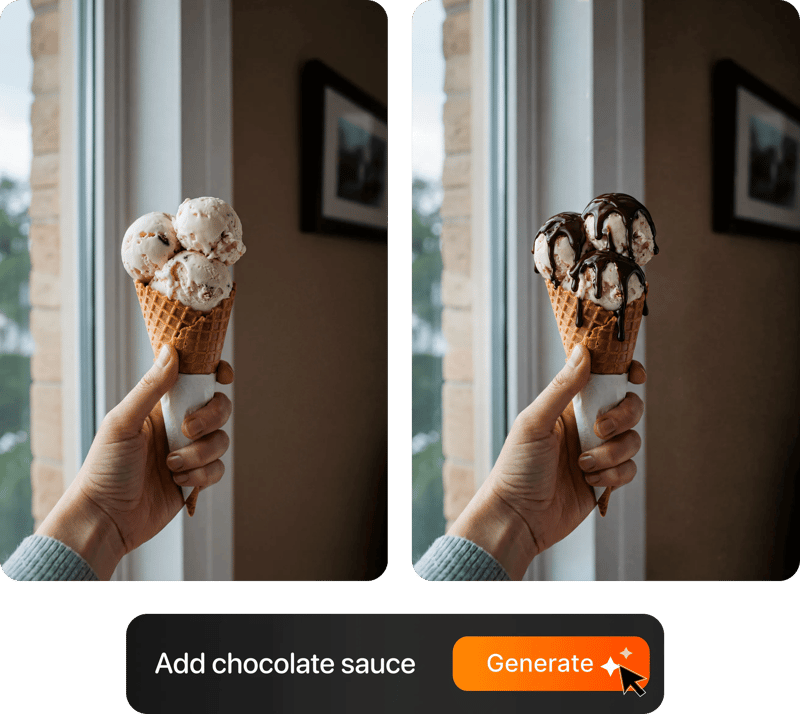
Add sauce, swap plates, change lighting — just type what you want.

Prompt-based food photo editing

200+ Styles

Styles for every vibe

From clean white to moody fine dining. One tap.
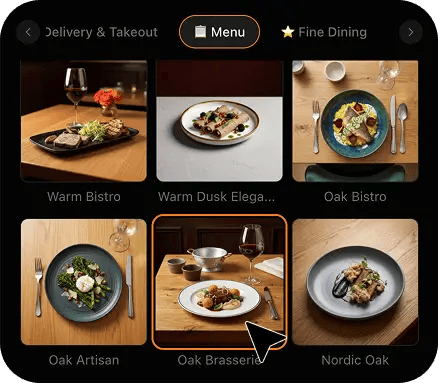
FoodShot 200+ food photography style presets grid

4K Resolution

Ultra-high resolution output

Up to 4K resolution output. Print-ready quality for menus, billboards, and packaging — no upscaling needed.

4K

Perfect For

Every food business with a Google listing

From a single-site neighbourhood restaurant to the one person who manages twelve listings for a group, if your food and drink photos show up in the local pack, this is built for you.

🍽️

Independent Restaurants

Your cover photo is the first thing a diner sees in the local pack, and it is cropped hard to 16:9 on the listing and square in the carousel. Shoot the signature dish on the pass, restyle it, and export it at both sizes from one photo, so the same plate that wins the tap also survives the crop.

Cafes & Coffee Shops

A flat white photographed under warm bulbs turns brown and muddy after Google's re-encode. Restyle the counter shot onto a clean surface, keep the rosetta legible at 720 x 720, and give the logo slot a square-safe frame that still reads inside a circle.

🥐

Bakeries & Patisseries

Lamination is texture, and texture is what compression eats first. A croissant lit from the side and framed tight keeps its layers at the food and drink tile size; a whole case shot from across the shop does not. Shoot one bake at a time and let the style do the rest.

🍸

Bars & Cocktail Lounges

Dim rooms are the hardest case on Google: an interior photo that looks atmospheric on your phone lands as a grey block in the carousel. Photograph the drink on the counter, restyle it with a warm low-key look that keeps the glass separated from the dark, and upload it at 720 x 720.

🍕

Pizzerias & Takeaways

A whole pizza shot from above is the perfect square, which is exactly why it dominates the Maps carousel for every pizzeria that gets it right. Centre the round, leave margin, restyle onto a clean surface, and use the same photo as the cover with the ends trimmed.

🏢

Multi-Location Groups

One person, twelve listings, and photos taken by twelve different managers on twelve different phones. Save one style, apply it to every upload, and every location's food and drink tiles read as one brand at the same size, without a photographer visiting any of them.

Reviews

Loved by food businesses

FoodShot AI changed my life as a Pastry Chef. Designing menus and plating used to be so time-consuming. Now I upload mockups and the AI does it all!
App Store

Happy Girl Pastry Chef

App Store

Great for small business! The app is easy to use. Smooth and professional results. Multiple background/settings/styles to choose. Highly recommend!
App Store

Trangbi89

App Store

This app helped me enhance my food photoshoot. Thanks to this app, I can now create pro-quality photos for my Menu.
App Store

Lalalisaoh

App Store

Excellent

Fabio Lima

Google Play

Great

Iván Fabricio Amador Pavón

Google Play

Cool

Darut Thollab

Google Play

For marketing and advertising we can use it as an enhancement. Really solid tool.

Reddit User

r/restaurantowners

Oohhh woowwww... Seriously amazing. The quality blew me away.

Remarkable-92

r/restaurantowners

FoodShot AI changed my life as a Pastry Chef. Designing menus and plating used to be so time-consuming. Now I upload mockups and the AI does it all!
App Store

Happy Girl Pastry Chef

App Store

Great for small business! The app is easy to use. Smooth and professional results. Multiple background/settings/styles to choose. Highly recommend!
App Store

Trangbi89

App Store

This app helped me enhance my food photoshoot. Thanks to this app, I can now create pro-quality photos for my Menu.
App Store

Lalalisaoh

App Store

Excellent

Fabio Lima

Google Play

Great

Iván Fabricio Amador Pavón

Google Play

Cool

Darut Thollab

Google Play

For marketing and advertising we can use it as an enhancement. Really solid tool.

Reddit User

r/restaurantowners

Oohhh woowwww... Seriously amazing. The quality blew me away.

Remarkable-92

r/restaurantowners

FAQ

Google Business Profile Photo Size FAQ

The exact numbers for every listing slot, and straight answers about what FoodShot does and does not do to your photos.

hello@foodshot.ai

FoodShot AI is a powerful, AI-driven content creation platform that helps you create high-quality food photography for menus, social media marketing, and promotional materials with ease. Transform any food photo into professional-grade visuals in seconds.

It's simple! Upload a photo of your food, choose your desired style (menu photography or social media format), and click generate. For poster creation, select from our professional templates, add your text, and create marketing-ready content instantly.

Yes! Download our mobile app from the App Store to create stunning dish photos on the go. Access all features directly from your iOS device.

Yes! FoodShot AI is now available on Android. You can download it from Google Play and start creating professional food photos directly from your Android device.

With paid plans, you own full commercial rights to all generated images. Use them for your restaurant, marketing campaigns, social media, or any commercial purpose without restrictions. Free plan images include watermarks and are for personal use only.

Yes! For bulk processing needs, please email us at hello@foodshot.ai for our Enterprise plan options.

Yes, subscriptions renew month-to-month. To cancel, open Settings and click Manage subscription — it opens your Stripe billing portal, where you can cancel in one click. Fully self-serve, no questions asked, takes under a minute. Your plan stays active until the end of the billing period.

Yes, plan changes take effect immediately. You can upgrade or downgrade directly from your account dashboard. The new pricing will be adjusted for your current billing cycle.

We offer a full refund if you haven't used any credits in your current billing period. Refund requests must be made within 7 days of payment. Previous billing periods are non-refundable. Simply contact us at hello@foodshot.ai if you're not satisfied.

No, unused credits do not roll over to the next month. This applies to both monthly and yearly plans. Credits refresh every month regardless of your billing plan.

Yes! With our custom photography feature, you can upload your own reference images to create consistent branded content. Upload your restaurant's signature background, plating style, or any reference photo, and FoodShot AI will generate new images matching that exact style.

Absolutely! Once you upload a custom background or reference template, you can use it for all your future generations. This is perfect for maintaining consistent branding across all your food photography. Save your favorite backgrounds and create a cohesive visual identity for your restaurant.

FoodShot AI supports all major image formats including JPG, PNG, WEBP, and HEIC. For best results, we recommend using high-quality images with good lighting. The AI will analyze your reference and apply the same style, lighting, and composition to your food photos.

Yes! You can upload your own poster designs and templates. Whether it's your restaurant's branded template or a custom design, simply upload it and FoodShot AI will intelligently place your food photos while preserving your design elements, logos, and text.

All paid plans include unlimited custom template uploads. You can build an entire library of your brand's templates, backgrounds, and reference styles. Free plan users can try the feature with our pre-made templates.

The cover photo is 1024 x 576 pixels at 16:9, with a minimum of 480 x 270 and a maximum of 2120 x 1192. The logo is 720 x 720 at 1:1. Every other slot, food and drink, interior, exterior, team and at work, uses the same general rule: 720 x 720 recommended, 250 x 250 minimum. Files must be JPG or PNG between 10 KB and 5 MB. In practice upload larger than the minimum, 2048 x 1152 for a cover and at least 1200 x 1200 for a food photo, because Google downsamples everything and a file that starts at exactly 720 pixels has no detail left to lose. Keep the subject centred with margin, since the same food photo is shown square in the Maps carousel and cropped again in the local pack.

No. Google My Business was renamed Google Business Profile in 2021, so the google my business cover photo size and the Google Business Profile cover photo size are the same specification: 1024 x 576 pixels, 16:9. The logo or profile photo is a separate slot at 720 x 720. Two things catch people out. First, Google does not guarantee the cover you upload is the image it shows first; it picks what it thinks represents the business, so your best food photo needs to be uploaded as a food and drink photo too, not only as the cover. Second, the cover is displayed at a different crop on mobile than on desktop, so leave breathing room at the left and right edges rather than pushing the dish to the frame line.

No. FoodShot never sends a photographer, never runs an on-site or studio shoot, never prints menus and never invents a dish you do not sell. It restyles the real photos you take yourself, on your own phone, at your own counter, of the food you actually serve. You upload the phone photo, choose a style, and FoodShot changes the light, the surface and the background around your dish, then renders it at the crop each Google slot uses. The plate, the portion and the dish are the ones a diner will get when they walk in, which is exactly what Google's photo guidelines ask for: photos that represent the real business. The whole process takes about 90 seconds per photo and happens on the same day the dish goes on the menu.

Because Google re-encodes every upload and compression removes detail from shadows first. A photo taken under a warm pendant on a dark table already has most of the dish in shadow; after re-encoding, the shadow turns into a flat grey block and the dish next to yours, shot on a bright surface, wins the tap. Three fixes, in order. Shoot near a window or under the brightest light in the room, not at the table where the customer sits. Frame tight enough that the dish fills most of the 720 x 720 tile. Then restyle the photo onto a clean, well-lit surface so the plate is separated from the background before you upload, which is what FoodShot does with the phone photo you already have. The dish stays the same; the light and the surface around it change.

Shoot it once, centred, with empty space on all four sides, and let the crop do the work. The cover is 16:9, so it keeps the full width and trims the top and bottom; the food and drink tile is square, so it keeps the middle and trims the sides. A dish placed dead centre with margin survives both. Wide things, a table spread or a long board, suit the cover; round things, a whole pizza, a ramen bowl, a latte from above, suit the square. FoodShot renders both frames from the same restyled source at the correct pixel sizes, 1024 x 576 for the cover and 720 x 720 for the tile, so you upload two files that plainly came from the same photo rather than a landscape shot that Google has cropped into a square badly.

Every time the menu changes, and at least every season. Google surfaces recent photos in the carousel, and a listing whose newest food photo is eight months old reads as a kitchen that has stopped. The reason most independents do not refresh is cost: a reshoot for a free listing is hard to justify. It becomes trivial when the refresh is a phone photo on the pass and a 90-second restyle, exported at the google my business photo size for the slot. Keep one saved style and apply it to every new upload so the carousel stays consistent even when different staff take the photos across the year, and replace the cover whenever the dish on it is no longer the one you want to be known for.

Your listing is the first menu diners see. Give it photos worth the tap.

Join 10,000+ restaurants, cafes, bakeries and bars turning phone snaps into Google-ready food photos at the exact size each slot needs, in about 90 seconds.

Start Creating
Cancel anytimeFull commercial licenseStudio-quality results