6 Photoroom Alternatives for Food Photos, Compared
 Ali Tanis16 min read
If you use Photoroom for menu, delivery-app and social pictures, a Photoroom alternative is worth it when your real problem is food styling, 4K output or one consistent look across a whole menu. It isn't worth it when you mainly need fast cutouts for a mixed catalog, because Photoroom already does that well and cheaply.
Disclosure: FoodShot AI is our product. We make the AI food photo editor listed first below, a material connection the FTC's Endorsement Guides say readers should know about. We applied seven criteria to every option, took competitor facts only from vendors' own pricing and help pages on 18 November 2026, ran no hands-on tests, and name no overall winner. For a broader ranking, see our roundup of AI food photo editors. This page answers one question: should a food business switch from Photoroom, or keep it?
Quick Summary: Photoroom is a general product editor: free for personal use, from $7.50 a month billed yearly, with 4K only on its Ultra plan. The six Photoroom alternatives below (FoodShot AI, Pixelcut, Claid.ai, Canva, Picsart and Adobe Express) each fit a different kind of food business. Whichever you pick, check every AI-edited picture against the real dish before it goes on a menu.
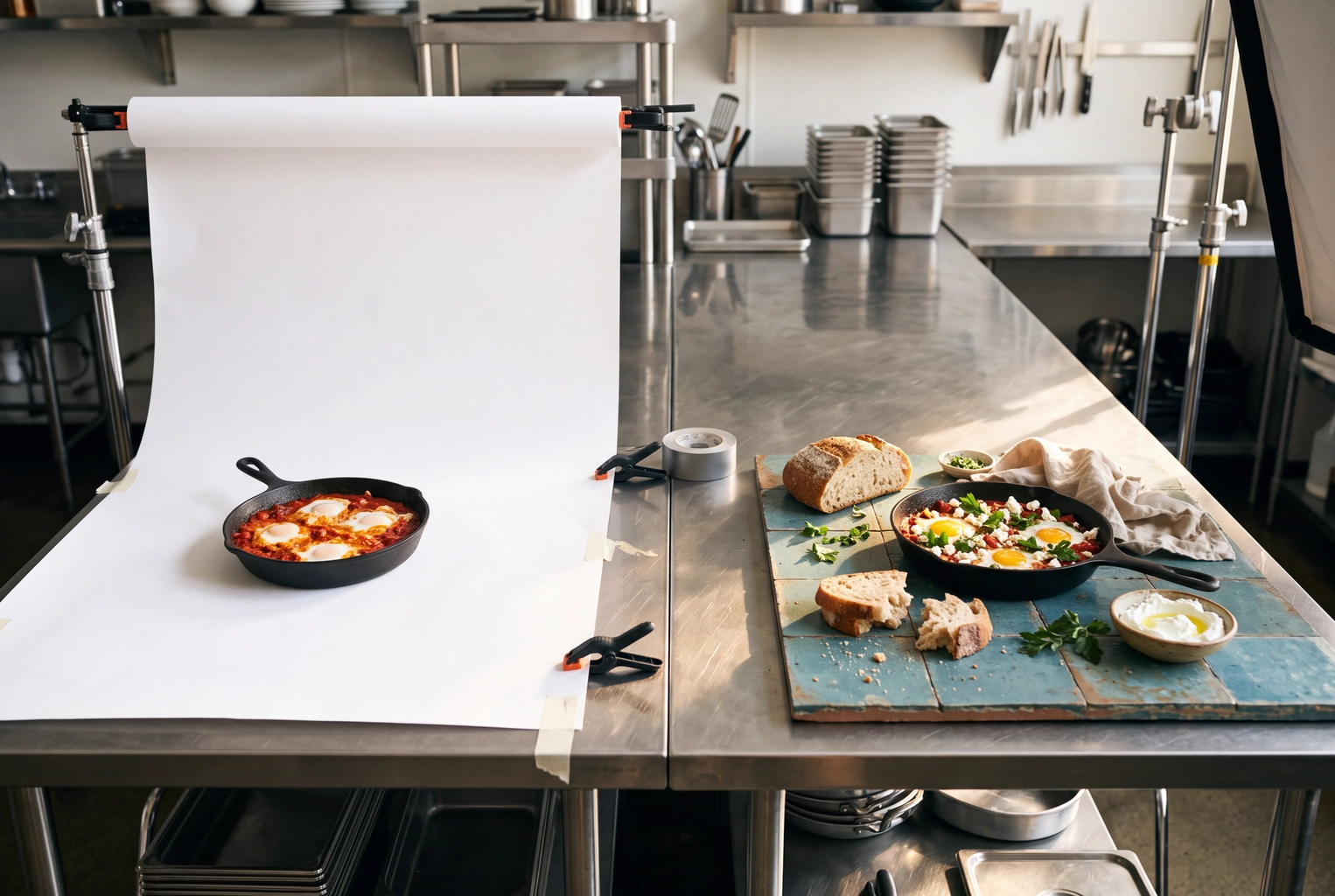
One shakshuka pan as a white-background cutout beside the same dish styled on blue tile: a Photoroom alternative for food
What Is Photoroom Built For?
Photoroom is an AI photo editing app built for product photos: background removal, AI backgrounds, shadows and batch editing on phone and web. On its food page, Photoroom says its tools improve "color, lighting, and contrast" and place dishes in settings "from rustic table tops to clean studio surfaces." Its delivery page says it can center dishes, remove backgrounds and format menu pictures to each platform's specs, citing Wolt across 27 countries.
Pricing and limits, from its pricing page and help center on 18 November 2026:
- Free: 100 exports a month (25 a week) and lower AI limits, "for personal, non-commercial use only."
- Pro: $7.50 a month billed yearly, with 8,000 AI credits and 1,000 exports a month.
- Max: $20.99 a month billed yearly, with 25,000 credits, 3,000 exports, video and a Shopify integration.
- Ultra: $82.50 a month billed yearly, with 75,000 credits, 10,000 exports, and the only self-serve 4K images.
Credits and exports are separate meters, and each image in a batch counts as one export. So a restaurant can't use free-plan exports on its menu, because that's commercial use. Pro and Max yearly plans include a 7-day free trial.
So the question is whether a narrower, food-first Photoroom alternative fits your business better than a cheap, capable, broad one.
How We Compared These Photoroom Alternatives
We recorded what each vendor's own pages say against the same seven criteria. Where a vendor publishes nothing, we write "not stated by the vendor."
- Food-specific styling. Looks made for dishes and drinks, or general product backgrounds?
- How much it can change the food. Background removal works without touching the dish. Generative edits can alter garnish, portion or texture.
- Delivery-app crops. Can you export the shapes Uber Eats, DoorDash and Grubhub want?
- Resolution. What maximum output does the vendor state?
- Bulk workflow. Can you process a whole menu at once?
- Price model. Subscription, credits, free tier or trial.
- Commercial use terms. What the vendor says about using results in your business.
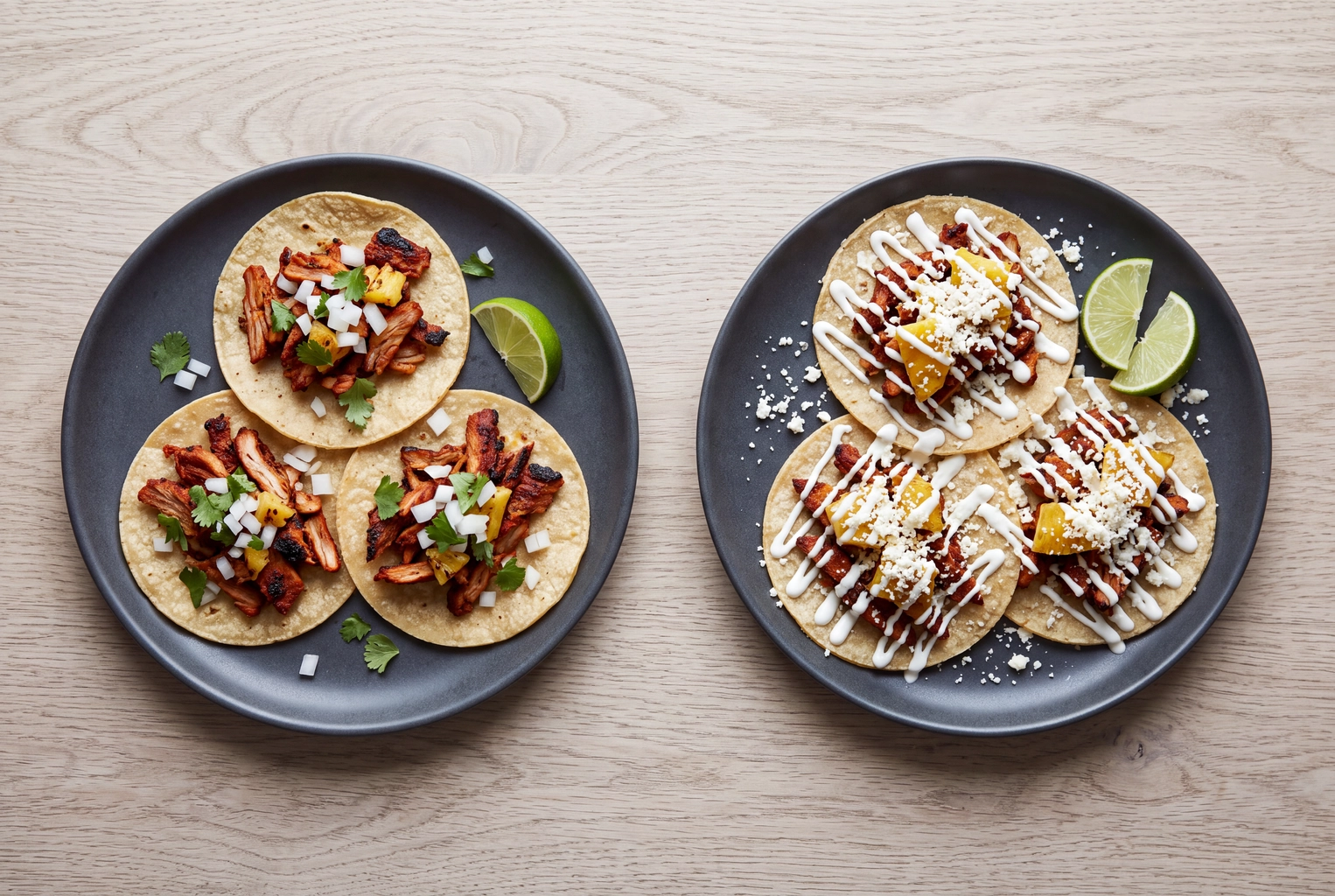 Two plates of tacos al pastor, one as served and one with toppings a generative AI edit could add to a food photo
Crop compatibility is not platform acceptance
A file in the right shape has cleared one hurdle, not the review. Uber Eats' merchant photo guidelines say an item photo must "accurately represent a single item," sit centered, and ideally use a 5:4 to 6:4 ratio. DoorDash's merchant photo guide asks for menu items shown clearly, in proper lighting, without text or overlays.
| Platform | Menu item shape | Size | File limit | Full rules |
|---|---|---|---|---|
| Uber Eats | 5:4 to 6:4 (recommended) | 550 to 10,000 px wide | 10 MB; JPG, PNG or GIF | Uber Eats photo requirements |
| DoorDash | Landscape 16:9 | 1400 × 800 px minimum | 2 MB; JPG or PNG | DoorDash photo requirements |
| Grubhub | Square 1:1 | 1400 × 1400 px recommended | JPEG preferred | Grubhub photo requirements |
A picture can pass every size rule and still be rejected if it doesn't match the dish. Our breakdown of which AI edits Uber Eats allows shows where that line sits.
The 6 Photoroom Alternatives for Food Businesses
1. FoodShot AI: built only for food and drink
What it is. FoodShot AI is a food and drink photo app for restaurants, cafes, bakeries and food brands. You upload a phone photo of a dish you already serve, pick one of 200+ styles, and get a restyled 4K food photo in about a minute. It runs on the web and as an iPhone and Android food photo editing app.
Food styling. Every style is for food or drink, grouped into Delivery, Menu and Fine Dining. Builder Mode lets you choose the surface and the plate, and Poster & Creative Mode turns a dish into marketing visuals.
How much it changes the food. More than a background swap does. FoodShot restyles the scene around your dish, and prompt edits can add sauce or swap plates.
Crops, resolution, batch. Output is 4K: a square file is 4096 × 4096 px, with a 2× upscale in the studio. Cropped to 16:9 for DoorDash, it still leaves 4096 × 2304 px. The Scale plan processes 5 at once.
Price and licence. Starter is $15 a month for 25 credits (about 25 pictures), Business $45 for 100, and Scale $99 for 250. Yearly billing starts at $9 a month. Every plan includes a commercial license, and credits don't roll over. See FoodShot pricing.
Limits, stated plainly. FoodShot has no free plan. It's credit-based, so a heavy month costs more. It handles food and drink only, not general product photos like mugs or gift cards. And generated results must be checked against the real plate.
Switch if most of what you shoot is dishes and drinks and you want one look across the menu. It's the only food-only Photoroom alternative on this list.
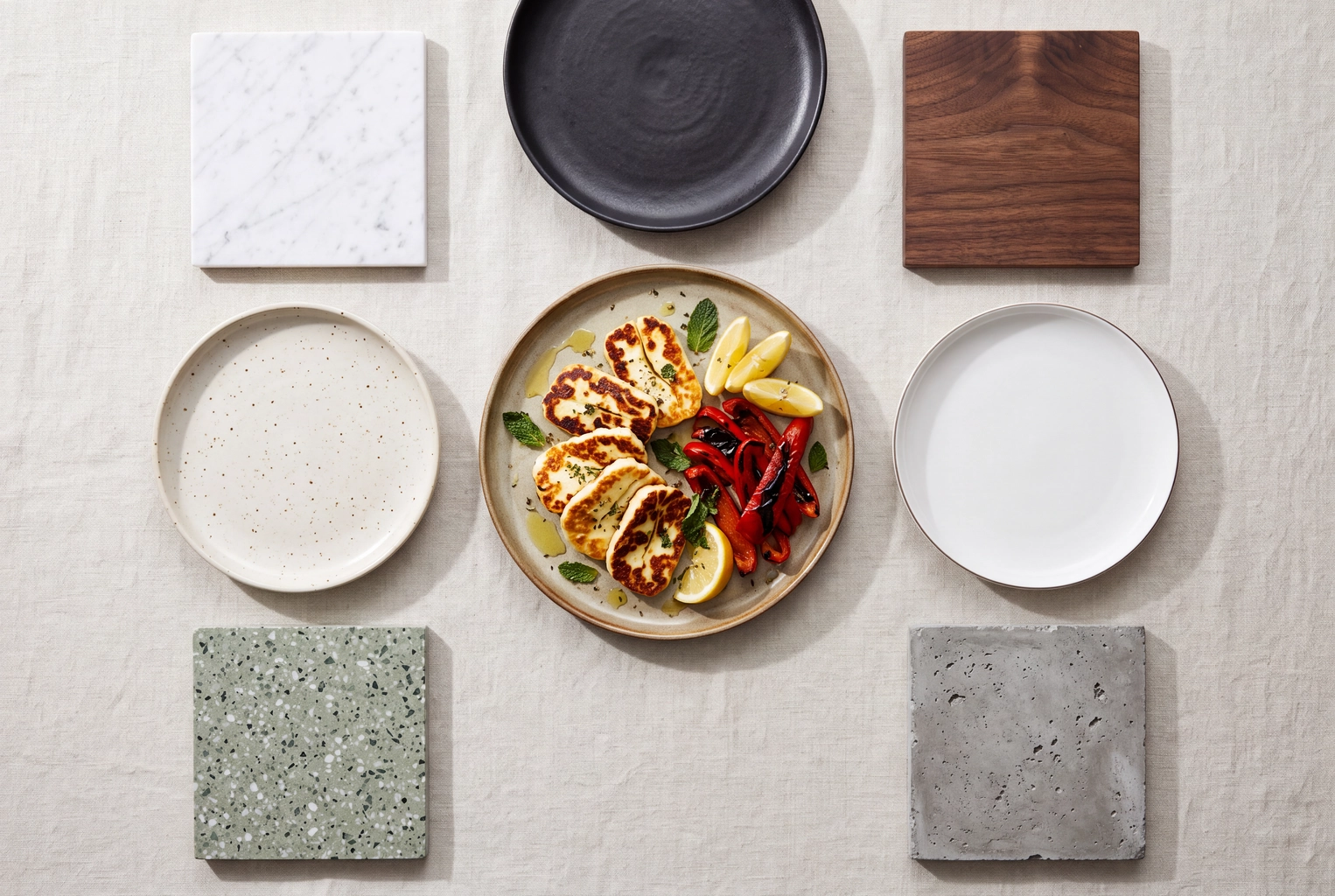 Seared halloumi plate surrounded by plate and surface samples, the surface-and-plate choice in FoodShot Builder Mode
2. Pixelcut: the closest like-for-like swap
What it is. Pixelcut is a general product photo editing app on iOS, Android and the web. Its pricing page lists background removal, upscaling, Magic Eraser, Generative Fill, Expand Image and AI Backgrounds.
Food styling. Not stated by the vendor; we found no food presets.
How much it changes the food. Background removal and upscaling leave the dish alone. Generative Fill and the third-party models Pixelcut lists (Nano Banana, Flux and ChatGPT Image among them) can redraw parts of the frame.
Crops, resolution, batch. Delivery-app presets and a maximum export size are not stated; its FAQ mentions "HD exports" on Pro. Pro includes 1,000 batch exports a month, and Business 2,000.
Price and licence. The free plan has limited background removal and upscaling and exports without a watermark. Pro is $10 a month ($8 billed yearly) with 600 AI credits; Business is $30 ($24 billed yearly) with 3,600. Pixelcut lists a commercial license on Pro and Business, not on Free.
Switch if you want many third-party AI tools under one subscription. In shape, it's the closest of these Photoroom alternatives, so for food it's a sideways move.
3. Claid.ai: enhancement pipelines for food platforms
What it is. Claid.ai is a product photography suite with web plans and an API. On its food page, Claid says it turns "messy restaurant, menu, and user-uploaded food photos into sharp, appetizing visuals" with enhancement, upscaling, light correction and resizing, and cites delivery platform Rappi.
Food styling. Food is a named industry with custom workflows. The self-serve AI Backgrounds and AI Photoshoot tools are general product features.
How much it changes the food. Upscaling and light correction are light-touch. AI Photoshoot and AI Edit create new content and can alter the dish.
Crops, resolution, batch. Essentials outputs up to 2K, and Pro adds 4K generation. Claid lists exports for Instagram Stories and Shopify, plus batch processing on Pro and Business. Delivery-app presets: not stated by the vendor.
Price and licence. A free trial gives 50 credits. Essentials is $9 a month billed yearly for 500 credits; Pro is $35 a month billed yearly for 2,000. Claid's FAQ says what you generate or edit is not subject to any Claid copyright.
Switch if you run a multi-location brand or an ordering platform and want enhancement-led, API-driven processing.
4. Canva: when the dish is one layer of a design
What it is. Canva is a design platform first. Canva Pro includes Background Remover, "40+ AI-powered tools," premium templates and one-click resizing, per canva.com/pro.
Food styling. Not stated by the vendor; you get design templates and stock.
How much it changes the food. Background Remover isolates the dish. Magic Studio features such as Magic Edit and Magic Media generate or replace content, which can change what's on the plate.
Crops, resolution, batch. Pro resizes a design for other platforms. A maximum export size and a bulk limit are not stated in the Canva pages we read.
Price and licence. The free plan is US$0. Pro is US$144 a year for one person; Business is US$250 a year per person. Canva's help center says AI-generated pictures can be used "for any lawful purpose, including selling them," under its AI Product Terms.
Switch if your real output is posters, menu boards and social media posts. As a Photoroom alternative, Canva makes sense when the dish is one element of a design.
5. Picsart: a creative suite with bulk edits
What it is. Picsart is an AI image and video platform. Its pricing page lists background and object removal, a "1-tap image enhancer," brand kits, templates and dozens of third-party AI models.
Food styling. Not stated by the vendor.
How much it changes the food. Removal and enhancement are basic, light edits. The bundled generative models can redraw anything in the frame.
Crops, resolution, batch. Pro bulk-edits up to 50 files at once, and Ultra up to 100. Export size and delivery presets are not stated on the pricing page.
Price and licence. Pro is $15 a month, or $10.50 billed yearly; Ultra is $75, or $60 billed yearly. Free accounts exist, but premium tools and content are paid. Picsart's help center says business use should rely on content marked for commercial use or on its generative AI features.
Switch if your team makes lots of social media content and wants templates, fonts and video editing in the same creative app as cleanup.
6. Adobe Express: templates with Adobe's licence language
What it is. Adobe Express is Adobe's template-led design app, with Firefly generative AI built in.
Food styling. Not stated by the vendor.
How much it changes the food. The Remove Background quick action isolates the dish. Firefly's generate and insert or remove object tools can change it.
Crops, resolution, batch. Adobe's comparison table lists Resize Image and Crop Image on every plan, and multi-format resizing on Premium. Image export size is not stated. One inconsistency: that table lists Remove Image Background on Free, while Adobe's FAQ calls it premium, so check in the app.
Price and licence. The free plan needs no card. Premium is US$9.99 a month, billed monthly, with 250 generative credits. Adobe says that "in general, you may use outputs from generative AI features commercially," except beta features it marks otherwise.
Switch if you already work in Adobe apps or want Adobe's commercial-use wording behind generated visuals.
Photoroom Alternatives Compared Side by Side
Every fact comes from the vendor's own page, read on 18 November 2026; prices change, so check before buying.
What each option does to a food picture
| Tool | Food-specific styling | How much it can change the food | Delivery-app sizing | Max resolution stated | Bulk processing |
|---|---|---|---|---|---|
| Photoroom | Food page; rustic-to-studio settings | Light edits plus AI backgrounds and "Edit with AI" on credits | Says it formats menu pictures to platform specs | 4K on Ultra only | Each picture is 1 export |
| FoodShot AI | 200+ food and drink styles; Builder Mode | Restyles the scene; prompt edits can add sauce or swap plates | Delivery styles; crop the 4K file per app | 4K (4096 × 4096 px square) | 5 at once on Scale |
| Pixelcut | Not stated by the vendor | AI Backgrounds, Generative Fill, third-party models | Expand Image; no presets stated | Not stated ("HD exports" on Pro) | 1,000 exports/mo on Pro |
| Claid.ai | Food page for restaurants and platforms | Enhancement, light correction; AI Photoshoot and AI Edit are generative | Resizing; Instagram and Shopify exports | 2K on Essentials, 4K on Pro | Pro and Business |
| Canva | Not stated by the vendor | Background Remover; Magic Studio edits | Resize for other platforms (Pro) | Not stated | Not stated |
| Picsart | Not stated by the vendor | Removal, enhancer, generative models | Not stated | Not stated | 50 at once (Pro), 100 (Ultra) |
| Adobe Express | Not stated by the vendor | Remove Background; Firefly object edits | Resize and crop; multi-format resize on Premium | Not stated for images | Not stated |
What each option costs, and what you may do with the results
| Tool | Price model | Entry paid plan | Free option | Commercial use terms | Source, read 18 Nov 2026 |
|---|---|---|---|---|---|
| Photoroom | Subscription with AI credits and an export cap | Pro $7.50/mo billed yearly | Free plan, 100 exports/mo | Paid plans only | photoroom.com/pricing; Photoroom help center (Export limit; plans) |
| FoodShot AI | Monthly credits | $15/mo for 25 credits ($9 billed yearly) | None | Commercial license on every plan | foodshot.ai/pricing |
| Pixelcut | Subscription with AI credits | Pro $10/mo ($8 billed yearly) | Free plan, limited tools | Listed on Pro and Business | pixelcut.ai/pricing |
| Claid.ai | Credits per operation | Essentials $9/mo billed yearly, 500 credits | 50-credit trial | FAQ: no Claid copyright on your files | claid.ai/pricing; claid.ai/food |
| Canva | Subscription | Pro US$144/year | Free plan | AI content: any lawful purpose under AI Product Terms | canva.com/pricing; canva.com/help (products for sale) |
| Picsart | Subscription with credits | Pro $15/mo ($10.50 billed yearly) | Free account, premium locked | Content marked for commercial use, or its generative features | picsart.com/pricing; support.picsart.com (Commercial use) |
| Adobe Express | Subscription with generative credits | Premium US$9.99/mo | Free plan, no card | Generally commercial, except marked beta features | adobe.com/express/pricing |
We list sources as plain text rather than links; each path is the vendor's own page as of November 2026.
When Should You Keep Photoroom?
Keep Photoroom when the reason you'd switch isn't costing you orders. None of these Photoroom alternatives beats it in five cases:
- Your catalog is mixed. A bakery that also sells mugs and tote bags gets one editor for everything; a food-only app can't touch the merch.
- You need cheap volume. Pro at $7.50 a month billed yearly includes 1,000 exports.
- You sell through Shopify. Max includes a Shopify integration.
- You run a platform, not a restaurant. Its API and Enterprise fidelity add-on are designed for onboarding many merchants.
- Your pictures already pass. If clutter is the only problem, basic background removal may be enough.
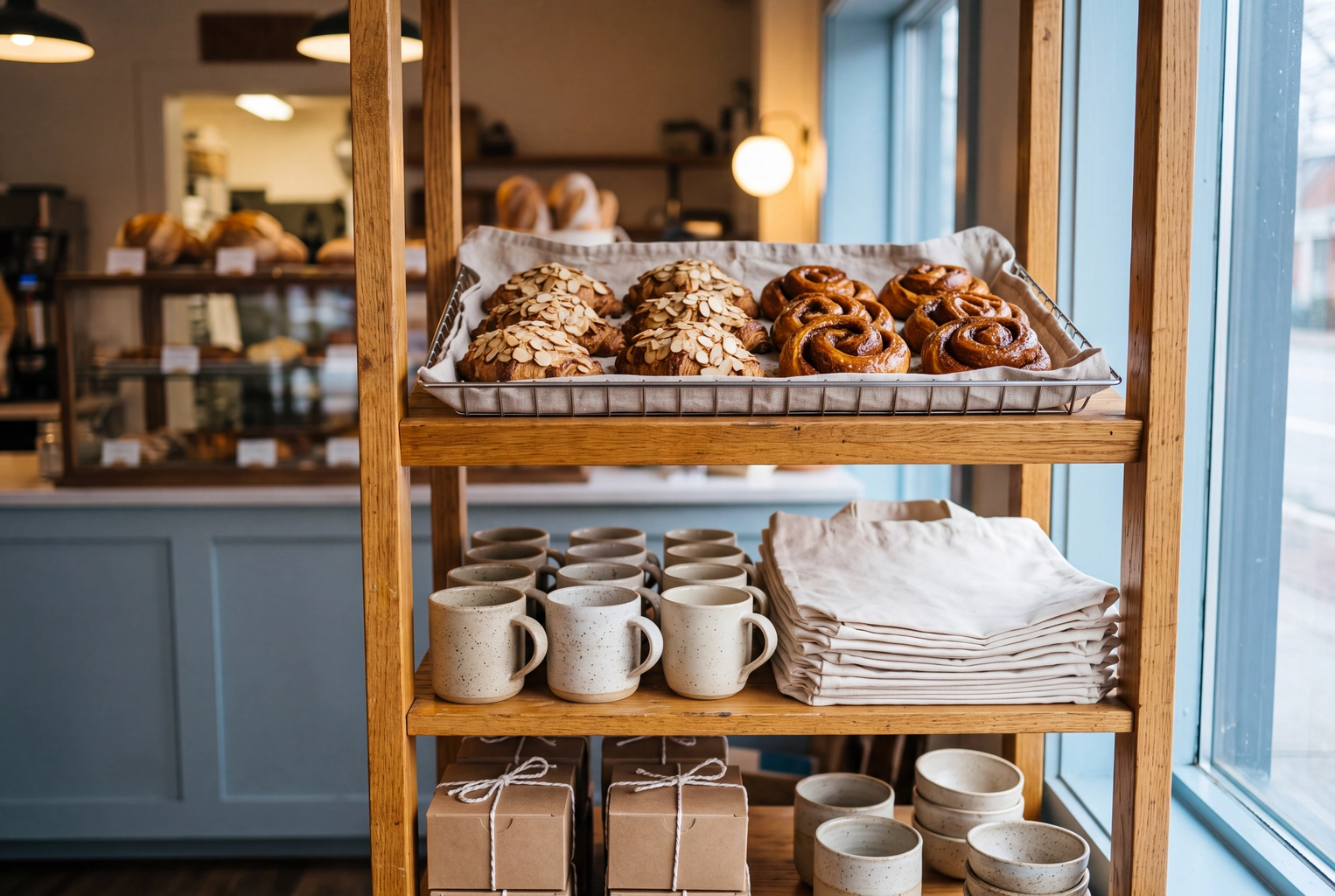 Bakery shelf mixing croissants with plain mugs and tote bags, a mixed catalog where keeping Photoroom makes sense
Switching has a cost too: new presets, new editing habits, a menu restyled to match. Switch for a specific gap, not for novelty.
Which Photoroom Alternative Fits Your Food Business?
There's no single winner: a ghost kitchen and a granola brand need different tools.
Delivery-only kitchen
You live on Uber Eats, DoorDash and Grubhub, and each wants a different shape. Prioritize consistent dish styling across dozens of items and files big enough to crop three ways. A food-only styler like FoodShot fits, and so does Photoroom itself if clean cutouts are enough. Claid suits multi-brand operators who want an API. See our pages on ghost kitchens and delivery app photography.
Cafe with daily specials
New items daily, a small team, output for Instagram and a menu board. You need a quick photo plus a creative design layer more than bulk processing: a food styler for the picture, Canva or Adobe Express for the poster and story. See cafe menu photography and our restaurant specials ideas.
Packaged food brand
Your products sit on Amazon, Shopify and retailer sites, where label accuracy beats mood. Background removal and clean product photos on white are the core job for Amazon sellers, and Photoroom, Pixelcut and Claid are all built for it. Add styled lifestyle scenes with packaged food photography when the product needs food around it. After any generative edit, read every label letter by letter.
Agency or consultant
You handle several client brands and need repeatable looks, seats and licences. Photoroom's paid plans allow up to 50 seats per Space; Pixelcut Pro includes 3 and Business 10. Brand kits appear on Claid Pro, Picsart, Canva Pro and Adobe Express Premium. FoodShot's Enterprise plan includes a commercial and resale license; see FoodShot for consultants.
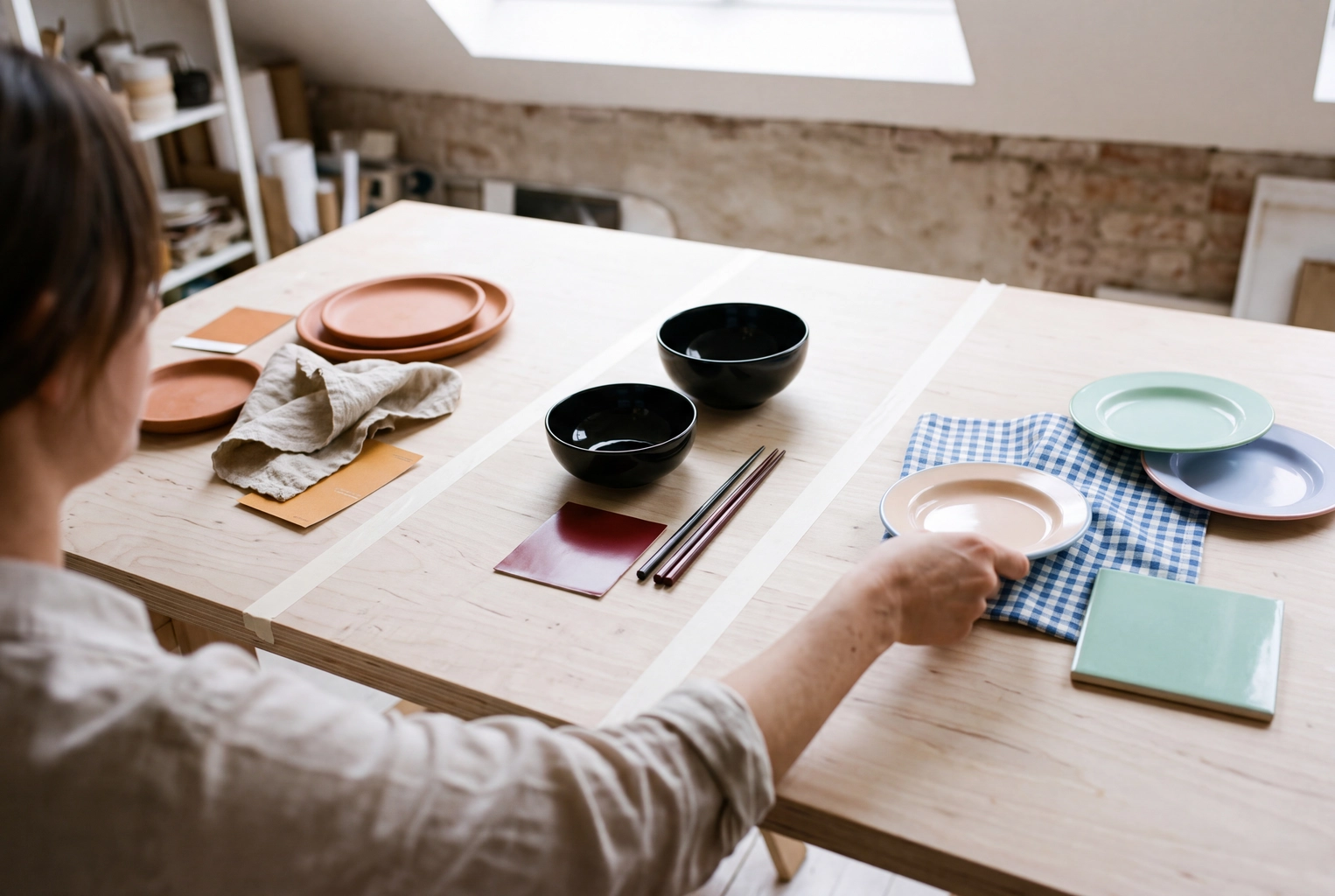 Consultant arranging plates and color swatches for three restaurant clients, the brand consistency agencies need
How to Check an AI-Edited Food Photo Before It Goes Live
Whichever Photoroom alternative you choose, editing tools can change pixels that belong to the food. Put the edited picture next to the real plate before you upload, and check five things:
- Portion. Same number of pieces, same fill level, same size against the plate.
- Ingredients. No garnish, sauce, cheese pull or topping you don't serve.
- Texture and doneness. Crust, char, sear and sauce gloss match what leaves the pass.
- Packaging and labels. Brand names and label text read exactly as printed.
- Platform rules. One item, no text overlay, the right shape for each app.
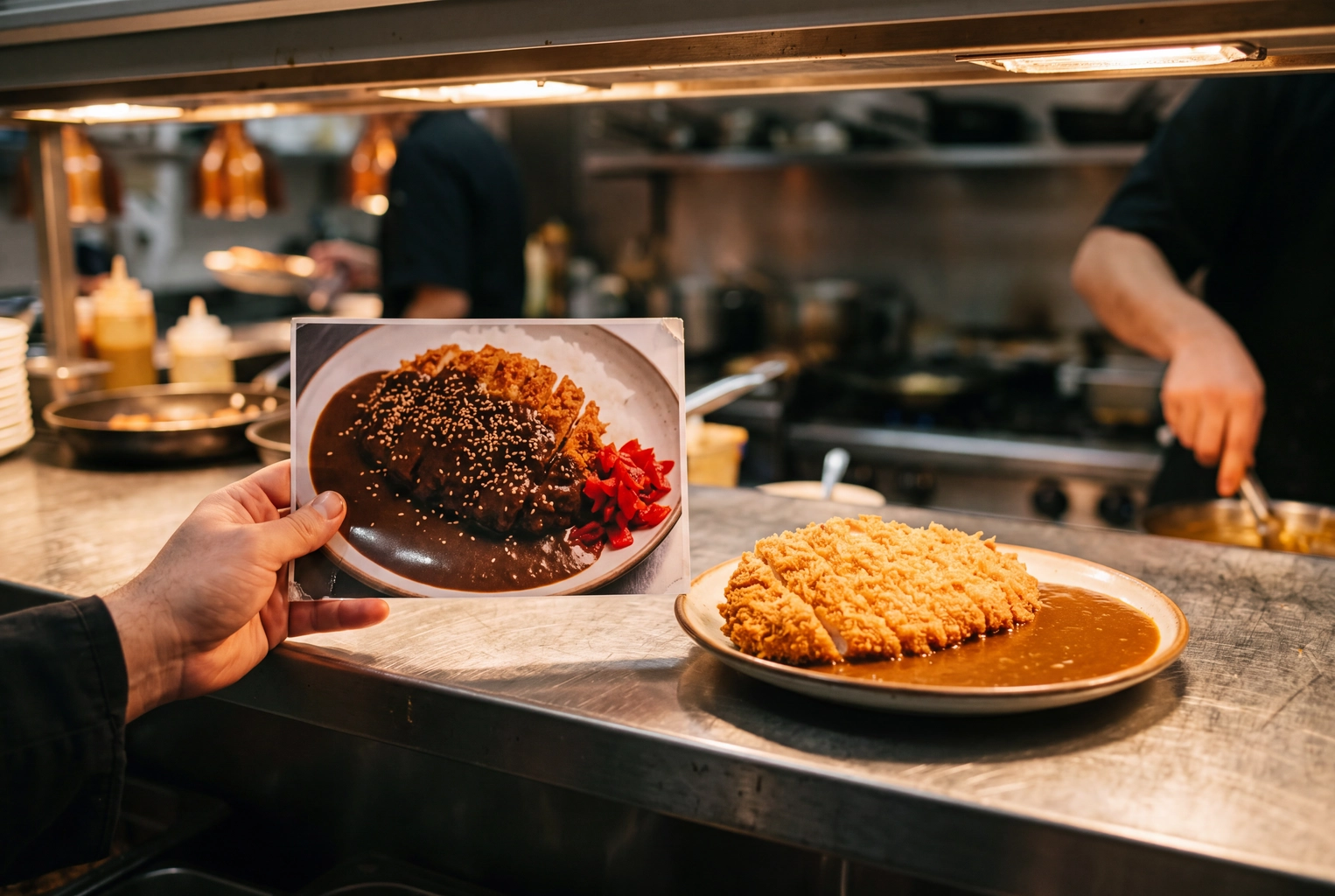 Cook holding a printed AI-edited photo beside the real katsu curry at the pass to check the food photo matches the dish
Uber Eats requires item photos that accurately represent what customers get. Our guide to real vs AI-generated food images goes deeper.
Frequently Asked Questions
Is there a free Photoroom alternative for food photos?
Yes, with caveats. Pixelcut, Canva, Picsart and Adobe Express have free plans, and Claid offers a 50-credit trial. Check the licence before you post: Pixelcut lists its commercial license only on paid plans. FoodShot AI has no free plan.
Is Photoroom good for food photos?
Yes, for cleanup and consistency. It says it improves color and lighting and places dishes in realistic settings, and it pitches restaurants directly. Food-only apps go further on styling.
Can I use AI-edited food photos on Uber Eats and DoorDash?
Yes, if the picture still shows exactly what the customer receives and meets each platform's rules. Edits that add food you don't serve are the risk. See which AI edits Uber Eats allows.
Which Photoroom alternative is cheapest?
By published entry price in November 2026, Pixelcut Pro at $8 a month billed yearly, then FoodShot Starter and Claid Essentials at $9 billed yearly, and Adobe Express Premium at US$9.99 monthly. Photoroom Pro itself is $7.50 billed yearly, below all six Photoroom alternatives.
Does FoodShot AI have a free plan?
No. Every FoodShot plan is paid, starting at $15 a month for 25 credits, and each includes a commercial license. See FoodShot pricing or try the AI food photo editor.