40 Food Photography Prompts for Menus and Delivery Apps
 Ali Tanis29 min read
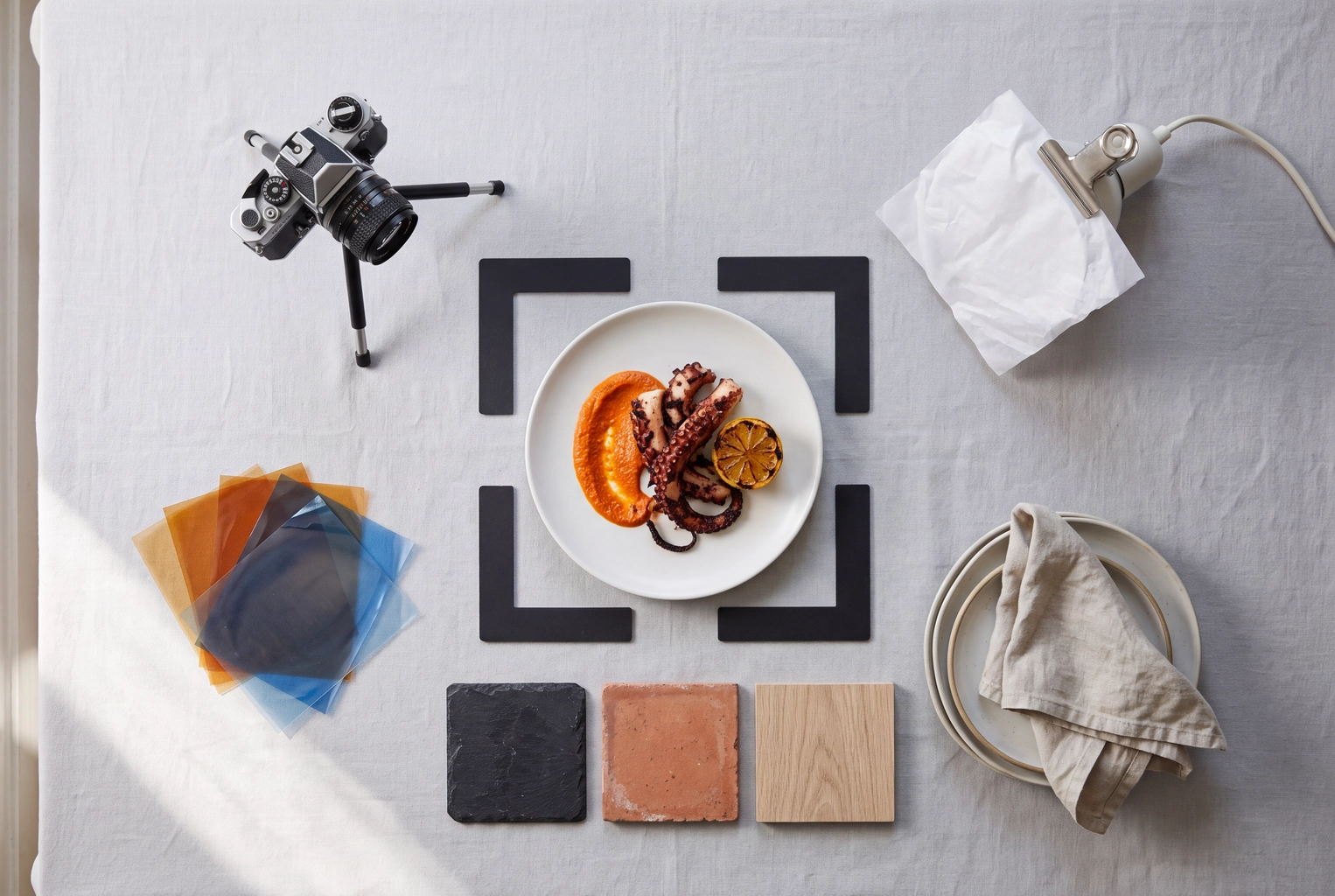
Good food photography prompts are not long. They are specific. Six slots decide almost every result: the camera angle, the light, the surface, the plate and props, the crop, and the mood. Name all six and ChatGPT, Gemini or Midjourney will usually give you a usable frame within two or three tries. Leave them out and you get the glossy, over-lit "AI food" look diners now spot at a glance.
Below are 40 food photography prompts sorted by the job the image has to do: menu hero, delivery thumbnail, Instagram post, ad banner, plated fine dining and drinks. Each job has its own rules for ratio, angle and empty space, so each section opens with them.
One rule comes first. If the picture will sit on a restaurant menu or a delivery app, don't generate the dish from text. Uber Eats, DoorDash and Deliveroo all want a photo of the item you actually serve, and Deliveroo now bans generative AI images outright. For those jobs, the prompts below are edits to a photo of your real dish, the way a food photo editor works.
Quick Summary: Build every food prompt from six slots: angle, light, surface, plate and props, crop, and mood. Generate from text only for mood boards, social concepts and ad mockups. For menus and delivery apps, attach a photo of the real dish and prompt only the lighting, background and crop: Uber Eats and DoorDash require the actual item, and Deliveroo has banned generative AI images since 9 October 2026.
The 6-slot template behind these food photography prompts
Every prompt in this list follows one template: the dish with two or three visible textures, then six slots. Any slot you leave empty gets the model's default, and that default is exactly what makes AI food look generic.
Generate mode: Create a realistic food photograph of [dish, with 2–3 visible textures]. Camera: [overhead / 45-degree / eye level / low, just above the rim]. Light: [soft window light from the left / hard sun / backlight / one narrow spotlight]. Surface: [material and color]. Plate and props: [one vessel, no more than two props]. Crop: [ratio, where the dish sits, how much empty space]. Mood: [bright and fresh / warm and rustic / dark editorial]. Keep portions realistic. No text, no logos.
Edit mode: Using the attached photo of my [dish], keep the food exactly as it is: same ingredients, portion, garnish and plate. Change only the lighting [ ], the background [ ], the crop [ ] and the mood [ ]. Do not add, remove or resize any food.
Edit mode drops the angle on purpose. Software can't re-angle a real plate without redrawing the food, so you pick the angle when you shoot, and each edit heading below names the one it expects. Our guide to taking food photos with your phone covers that first shot.
| Slot | Values that work | What it fixes | Words to avoid |
|---|---|---|---|
| Angle | Overhead for bowls, pizza and flat lays; 45-degree for plated meals; eye level for burgers, cakes and drinks | Shows the side of the dish that sells it | "Nice angle", "dynamic" |
| Lighting | "Soft window light from the left", "backlight", "hard midday sun" | Texture, depth, steam and gloss | "Perfect lighting" on its own |
| Surface | "Pale limestone", "dark walnut", "teal tile" | Color contrast with the food | "Beautiful background" |
| Plate and props | One vessel plus up to two props | Clutter and invented extras | "Lots of props", "aesthetic" |
| Crop | "4:5, dish in the lower two-thirds" | Fit for the channel, room for copy | No ratio at all |
| Mood | "Warm and rustic", "dark editorial" | Color grade and contrast | "Stunning", "8K", "ultra-detailed" |
The slots mirror the decisions a photographer makes on set. Our guides to food photography lighting, props and backdrops explain the reasoning behind each one.
Delivery-app rules to check before you use AI food photography prompts
Generated dishes don't belong on delivery apps. Uber Eats wants a photo that represents the real item, DoorDash rejects idealized versions, and Deliveroo bans any image made in whole or in part with generative AI. Here is each policy's wording, checked on 29 October 2026.
| Platform | What the policy says | What it means for your prompt |
|---|---|---|
| Uber Eats | Item photos must "accurately represent a single item from your Uber Eats Menu", with no text, logos or people except hands. | No AI clause, but the dish in the photo must be the dish that arrives. Edit mode only. |
| DoorDash | Photos must show "the actual item served, not an idealized or generic version". Its virtual brand rules add: "Evidently AI-generated images, heavily altered images, or images that create a misleading representation of the item are not permitted." | Edit mode with a light touch. If it looks generated, expect a rejection. |
| Deliveroo | The help centre says: "AI-generated images are not permitted on Deliveroo." The partner policy, effective 9 October 2026, bans any image "created, in whole or in part, using generative artificial intelligence (AI)" and any existing image "substantially changed using AI". | No generative edits at all. Crop, exposure and white balance in an ordinary photo editor only. |
Deliveroo's rule applies "even if the image is labelled as AI-generated or AI-manipulated", and it covers generative restyles from every tool, FoodShot's included. Upload real photos with conventional edits there: its help page also lists "obvious signs of image editing" as a rejection reason.
The platforms aren't against software as such. Deliveroo offers enhancement on some rejected item photos, and DoorDash's Merchant Portal has its own Smart Photo Tools. What they reject is a picture that promises a different dish from the one in the bag. Our breakdown of the AI edits delivery apps allow lists what passes, and the Uber Eats and DoorDash photo requirements guides have every spec.
There's a reason beyond compliance, too. In a 2026 Scientific Reports experiment, 87 participants rated 60 pairs of AI-generated and real food images; the AI images were rated significantly less realistic and drew lower willingness to eat. A thumbnail nobody wants to eat costs orders, whatever the rules say.
Rule of thumb: If a customer can order it from your restaurant, start from a photo of it. Keep text-only generation for ideas, mood boards and concept mockups.
Menu hero prompts (1–7)
A menu hero shows one signature dish at its best, shot at 45° or eye level in soft side light, on a surface that repeats across the whole menu. A menu promises what arrives at the table, so all seven are edit prompts: attach your photo, paste the text and swap in your dish.
Keep the lighting and background identical from dish to dish so the menu reads as one set. Our menu photography guide covers layout.
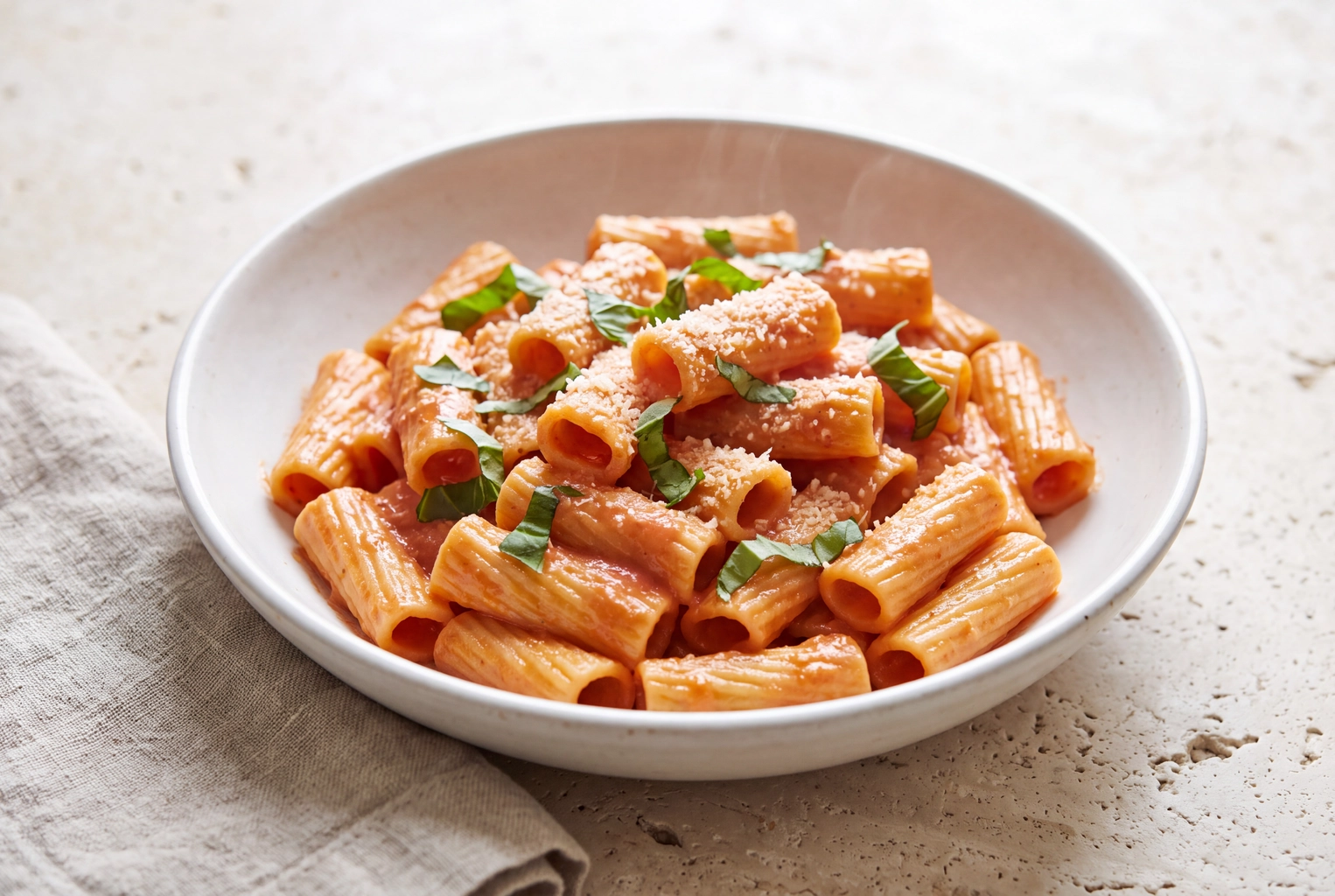 Rigatoni alla vodka in a shallow bowl on pale limestone, lit from behind at 45 degrees, a menu hero from prompt 2
1. Smash burger (shoot at 45°)
Using the attached photo of my double smash burger, keep the patties, cheese, pickles and bun exactly as they are. Light: soft, warm window light from the left. Background: dark walnut and a matte off-white plate. Crop: 3:2, centred. Mood: warm and appetizing. No text, no added toppings.
Hold the phone level with the top bun. Layered food reads best from the side.
2. Rigatoni alla vodka (shoot at 45°)
Using the attached photo of my rigatoni alla vodka, keep the same ingredients, portion and garnish. Light: soft daylight from behind and to the right, so the sauce shines without looking oily. Backdrop: pale limestone with a linen napkin at the lower left. Crop: 4:5 with the full rim in frame. Mood: bright, fresh trattoria.
Light from behind is what gives a sauce its sheen.
3. Sliced ribeye (shoot at 45°)
Using the attached photo of my sliced ribeye, keep the doneness, the number of slices and the chimichurri exactly as they are. Light: one soft source from the upper left. Backdrop: charcoal slate; keep my original dishware. Crop: 3:2 with the steak filling 60% of the frame. Mood: moody steakhouse. Do not change the color of the meat.
Without that last line, models quietly turn medium-rare into well done.
4. Margherita pizza (shoot top-down)
Using the attached top-down photo of my margherita pizza, keep the crust, char spots, sauce, mozzarella and basil exactly as baked. Light: soft daylight from one side with a gentle shadow. Backdrop: a floured dark wood peel on a rustic table. Crop: 1:1 with the whole pie visible. Mood: fresh from the oven. No extra toppings.
Round food belongs top-down. Any other view turns the pie into an oval.
5. Salmon grain bowl (shoot top-down)
Using the attached photo of my salmon grain bowl, keep the same ingredients in the same places. Correct the white balance so the greens look fresh, not yellow. Light: bright, soft daylight from above. Background: clean light-grey concrete. Crop: 1:1 with the bowl centred. Mood: clean and healthy. No added garnish.
Kitchen bulbs push greens toward yellow, so white balance is the biggest single fix for bowls.
6. Buttermilk pancakes (shoot low, about 20°)
Using the attached photo of my buttermilk pancake stack, keep the stack height, butter, berries and syrup exactly as served. Light: warm, soft morning light from the right. Background: white marble with a small syrup jug out of focus behind. Crop: 4:5. Mood: cozy brunch. Do not make the stack taller.
Models love to add pancakes. State the height.
7. Chocolate layer slice (shoot at eye level)
Using the attached photo of my chocolate layer slice, keep the layers, frosting and crumb exactly as cut. Light: soft window light from the side, so each layer has a clean edge. Background: a matte sage-green plate on pale oak. Crop: 4:5 with the cut face toward the camera. Mood: modern patisserie. No added fruit.
Delivery app thumbnail prompts (8–14)
A delivery thumbnail is judged at phone-thumbnail size, so the dish must fill most of the frame, sit centred on a plain background and read by color and shape alone. All seven are cleanup edits, never generation, and each states the ratio the app expects.
| App | Item photo ratio | Minimum size | File | AI rule |
|---|---|---|---|---|
| Uber Eats | 5:4 to 6:4 (recommended) | 550 × 440 px | JPG, PNG or GIF, up to 10 MB | Must accurately represent the item |
| DoorDash | Landscape 16:9 | 1400 × 800 px | JPG or PNG, under 2 MB | No "evidently AI-generated" images (virtual brands) |
| Deliveroo | Landscape, cropped to 1:1 in the app | 1200 × 675 px | JPEG, up to 8 MB | No images made "in whole or in part" with generative AI |
Deliveroo is left out of these prompts on purpose: its policy rules out generative edits, so crop and fix exposure in an ordinary photo editor there. Our page on delivery app photos covers the full workflow, and Grubhub photo requirements have their own guide.
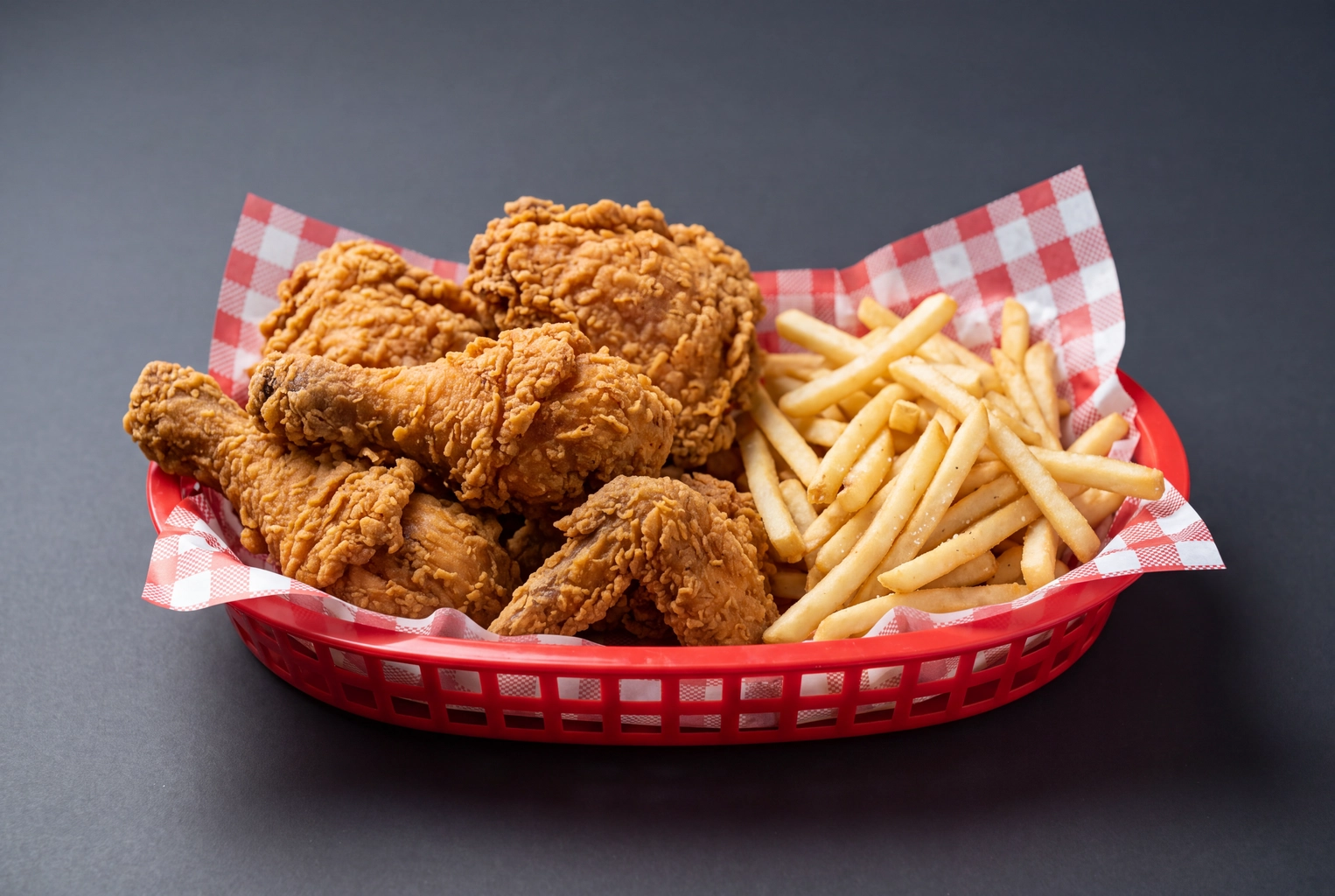 Fried chicken basket centred on plain dark grey in soft side light, a delivery app thumbnail after the glare edit
8. Shawarma platter on a cluttered counter (any view)
Using the attached photo of my chicken shawarma platter, do not add, remove or resize any food. Replace only the cluttered kitchen behind it with a plain warm-beige background and a soft, natural shadow. Keep the food centred. Output 16:9 with the food filling about 70% of the width. No text, no hands, no props.
This is the edit most phone photos need, and it changes nothing a customer eats.
9. Pad thai under kitchen tubes (as shot)
Using the attached photo of my pad thai, keep the same ingredients and portion: noodles, prawns, peanuts and lime. Remove the yellow-green cast from the kitchen lighting so it looks like soft daylight. Keep the original container and background. Keep colors true to life and do not oversaturate. Output 5:4 with the noodles centred.
10. Vertical burrito bowl to 16:9 (as shot)
Using the attached vertical photo of my burrito bowl, create a 16:9 landscape version by extending only the plain table on the left and right. Do not redraw, move or enlarge any food. Keep the bowl centred and fully visible, and match the extended texture and lighting. No text.
DoorDash rejects vertical and square item photos, so this saves a reshoot.
11. Katsu curry in its box (shoot at 45°)
Using the attached photo of my chicken katsu curry in its kraft takeaway box, keep the box, the lid placement and every portion exactly as packed. Clean the grease marks off the rim and replace the steel counter with light wood. Light: soft and even from the front left. Crop: 5:4, centred. Do not swap the box for ceramic.
If you deliver in a box, show the box.
12. Fried chicken basket (shoot at eye level)
Using the attached photo of my fried chicken basket, keep the piece count, crust and fries exactly as served. Replace the hard flash glare with soft, diffused light from the left. Keep the basket and the paper liner. Backdrop: plain dark grey. Crop: 16:9, centred. No added dips.
Flash makes fried food look greasy; diffused side light keeps the crunch.
13. Tonkotsu ramen (shoot top-down)
Using the attached top-down photo of my tonkotsu ramen, keep the broth level and the same ingredients (noodles, chashu, egg, nori, scallions) exactly as they are. Brighten the broth so it looks rich rather than grey. Straighten the bowl so it sits round and centred, with an even margin on every side. No added steam.
An even margin survives any square crop an app or menu grid applies.
14. Club sandwich halves (shoot at eye level)
Using the attached photo of my turkey club cut in half, keep the bread, fillings and layer order exactly as built. Sharpen the cut faces so each layer reads at thumbnail size, and lift the shadows with soft front light. Background: clean off-white. Crop: 5:4 with the cut faces toward the camera. No extra layers.
Instagram 4:5 prompts (15–21)
Instagram feed posts look best at 4:5 portrait (1080 × 1350 px), 25% taller than a square. Use the extra height for what a menu photo can't show: hands, motion, a full table, steam. Generate mood and seasonal posts from text, and switch to edit mode when a post sells a specific dish.
Captions and posting rhythm are covered in our Instagram food photography guide.
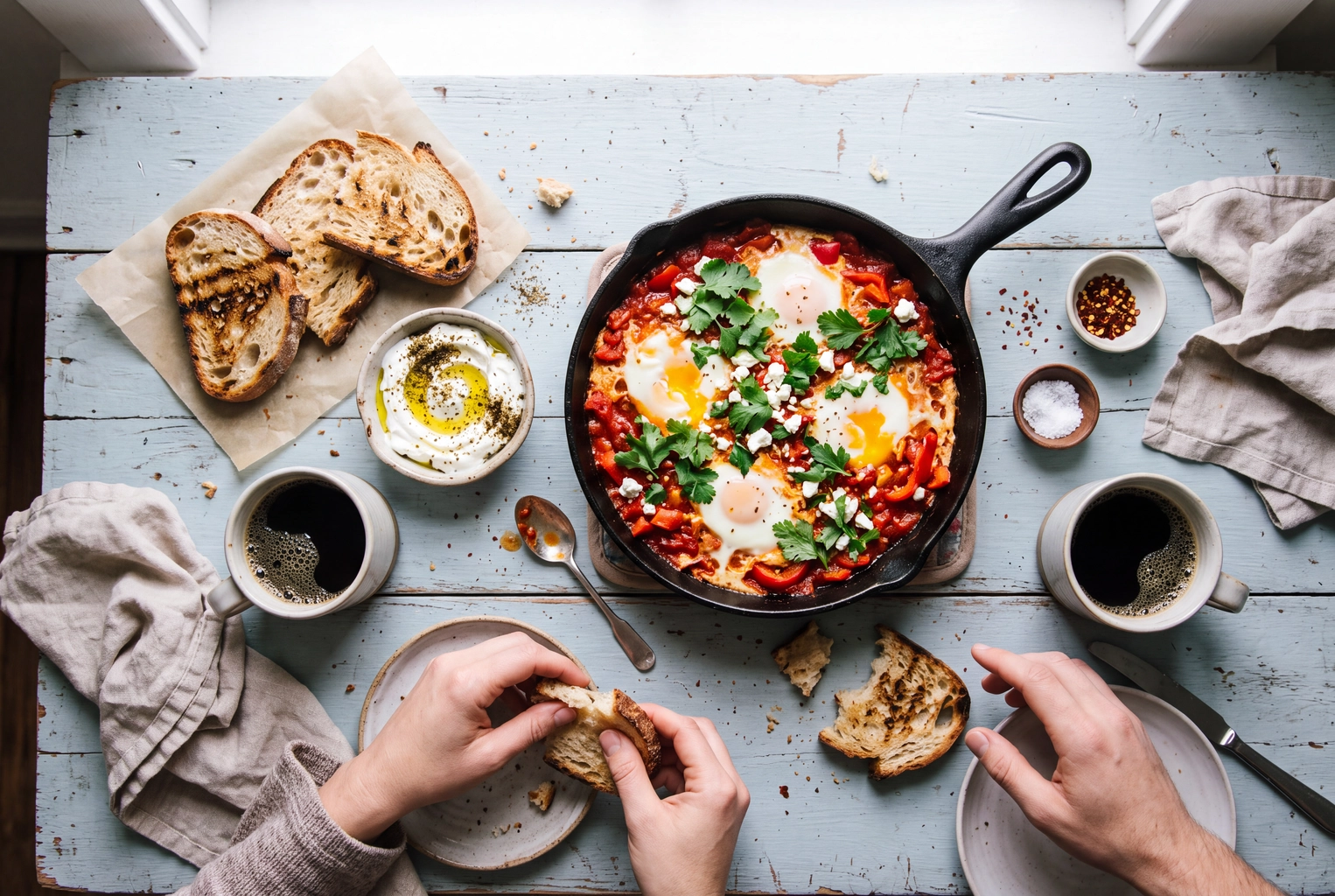 Overhead brunch table with shakshuka, sourdough, labneh and coffee as two hands tear bread, an Instagram flat lay
15. Brunch table with hands
Create a realistic top-down food photograph of a brunch table: shakshuka in a cast-iron pan, sourdough toast, labneh with olive oil and two black coffees. Two hands reach in, one tearing bread. Light: bright, soft window light. On pale-blue painted wood with linen and scattered crumbs. Crop: 4:5. Mood: relaxed and lived-in. No text.
Hands make a flat lay feel like a meal rather than a catalogue.
16. Chocolate sauce pour
Create a close-up of warm chocolate sauce pouring from a small steel jug onto vanilla gelato on a brownie. Camera low, about 20 degrees. Light: warm backlight from a window, so the sauce shines and the stream is sharp. On matte cream stoneware and linen. Crop: 4:5 with the dessert in the lower two-thirds. No plastic shine.
Write "the stream is sharp" or you'll get a motion blur.
17. Flat white and croissant
Create an overhead photograph of a flat white with a crisp rosetta in a speckled stoneware cup, beside a half-eaten almond croissant. Light: soft, cool morning light from the left. On a light terrazzo café table. Crop: 4:5 with the cup slightly above centre. Mood: quiet morning. Realistic milk foam, no logos.
Latte art only reads from directly above; our coffee photography guide has more.
18. Lemon meringue tart, macro
Create a macro photograph of a lemon meringue tart with torched meringue peaks and a clean slice edge showing curd and pastry. Camera at eye level, very shallow depth of field, focus on the front peak. Light: soft side light. Pale yellow background, out of focus. Crop: 4:5. Mood: bright spring dessert.
Naming the focus point stops the model from making everything equally sharp.
19. Watermelon salad in hard sun
Create an overhead photograph of a watermelon, feta and mint salad in a shallow white bowl. Light: hard midday sun from the upper right casting crisp leaf shadows. On sun-bleached teal tile, with a glass of sparkling water at the edge. Crop: 4:5. Mood: bold, fresh, high-contrast summer. True-to-life color, no filter look.
Hard sun is the opposite of the menu look, which is why it stands out in a feed.
20. Sourdough loaves (shoot slightly above)
Using the attached photo of my sourdough loaves, keep the scoring, crust color and crumb exactly as baked. Light: soft, warm window light from the left. Backdrop: a rustic floured wooden board. Keep the cut loaf facing the camera. Crop: 4:5 with empty space at the top for a caption. Mood: warm bakery morning.
This one sells your bread, so it starts from your photo.
21. Butternut soup with steam
Create an eye-level food photograph of butternut squash soup with a swirl of cream, pumpkin seeds and one sage leaf, thin wisps of steam rising. Light: warm, low afternoon light from the left against a dark background. On rustic wood with bread and a wool napkin. Crop: 4:5. Mood: cozy autumn. Natural steam, not smoke.
Steam only shows against a dark background lit from the side.
Ad banner prompts (22–27)
An ad banner needs one hero item pushed to one side and a clean, empty area for the headline and price, in a wide frame such as 16:9 or 1.91:1. Write the empty space into the prompt, and never ask the model for the copy: add text later in your design tool, where you control spelling and price.
Ads that name a dish and a price carry the same honesty rule as restaurant menus, so 22, 24 and 27 start from your photo, while 23, 25 and 26 are concept mockups to replace with a real shot before launch. A restaurant ad maker built on your own photos handles the layout, and our guide to Instagram ads for restaurants covers budgets.
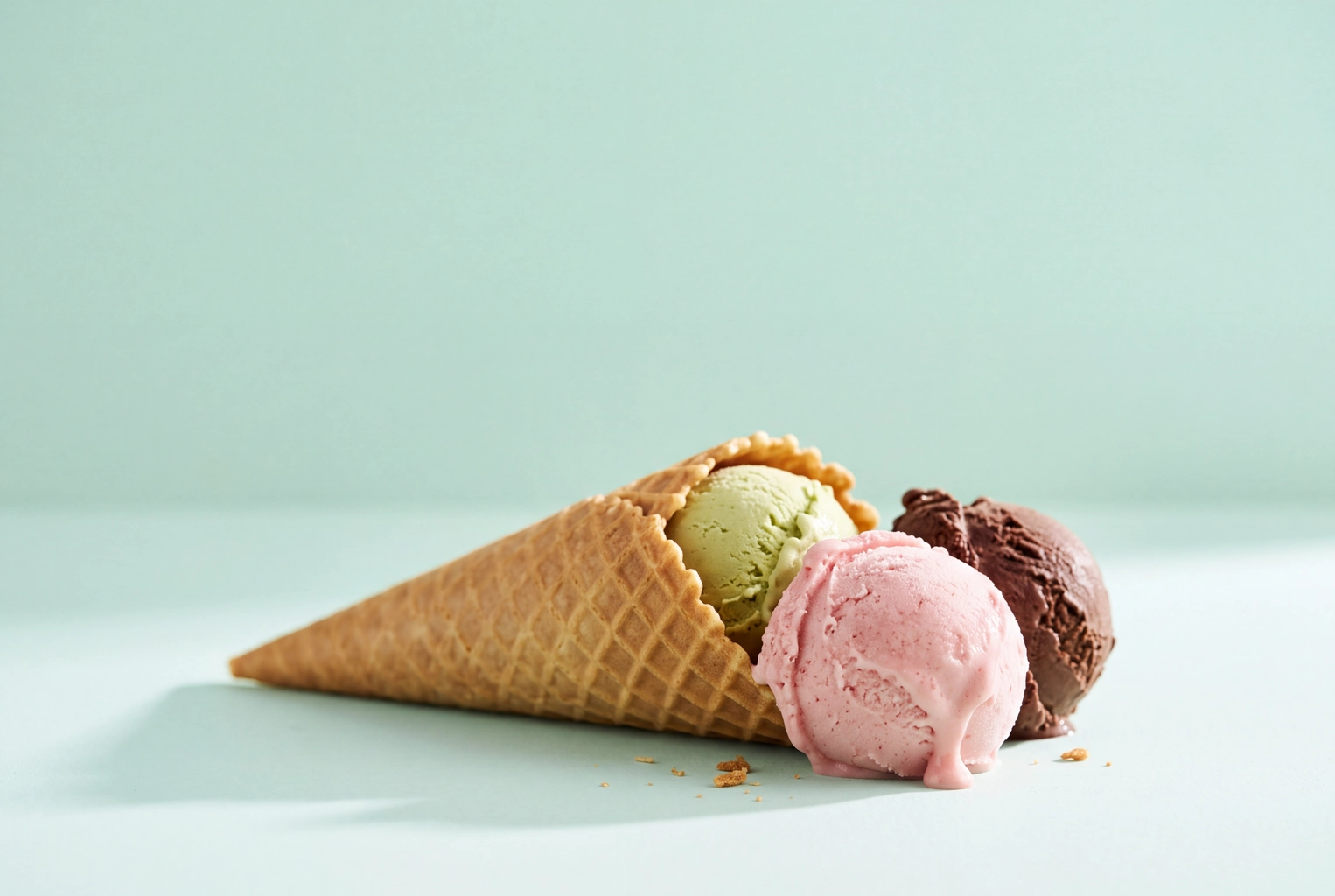 Waffle cone on its side spilling pistachio, strawberry and chocolate gelato on pastel mint, top half empty for ad copy
22. Burger with an empty left side
Using the attached photo of my bacon cheeseburger, keep the burger identical and place it in the right third of a wide 16:9 frame. Fill the left two-thirds with a smooth, deep red background and nothing else, for a headline added later. Light: soft key light from the right. Do not write any text.
Models love to invent a headline. Forbid it.
23. Half a pepperoni pizza
Create a 16:9 top-down banner photo of a pepperoni pizza cropped so only its right half enters the frame. Light: bright, even studio light, with crisp cupped pepperoni and small pools of oil. A solid mustard-yellow surface fills the empty left side. Mood: bold and playful. No text, no logos.
24. Lunch deal from three photos
Using the attached photos of my chicken wrap, fries and lemonade, arrange them as one lunch-deal shot on clean light grey, items touching, wrap in front. Keep each item exactly as served and do not enlarge any portion. Light: soft and bright from the top left. Crop: 1.91:1, group on the right, left side empty. No text.
ChatGPT and Gemini both accept several uploads in one message, so you can build a combo without restaging it.
25. Iced pumpkin spice latte
Create a 16:9 ad photograph of an iced pumpkin spice latte in a tall clear cup with cold foam, on a burnt-orange seamless backdrop. Light: backlight so the drink glows amber and the condensation beads read sharp, with a soft front fill. Cup in the right third, cinnamon sticks at its base, left half empty. No text.
26. Gelato cone on its side
Create a wide 16:9 photograph of pistachio, strawberry and dark chocolate gelato in a waffle cone lying on its side, one scoop just beginning to melt. Camera low, at table height. Light: bright and soft from the right. Pastel mint backdrop with the top half clear for copy. Realistic melt, no plastic shine.
"Just beginning to melt" reads fresh. Without it you get a frozen block or a puddle.
27. Catering trays
Using the attached photo of my catering trays, keep every tray, portion and garnish exactly as plated. Extend the table to a wide 16:9 frame, trays in the lower half and a calm, out-of-focus event room behind. Light: warm and soft from above. Leave the upper third clear. Do not add trays, food or decorations.
Catering clients buy the spread they see, so the spread must be real.
Plated fine dining prompts (28–33)
Fine dining restaurant photos sell restraint: a low camera near the rim, one narrow light, a dark matte surface and plenty of empty plate. Models instinctively add garnish and gloss, so these prompts count every element and ban the shine.
For fine dining menus, keep the light and surface identical from course to course.
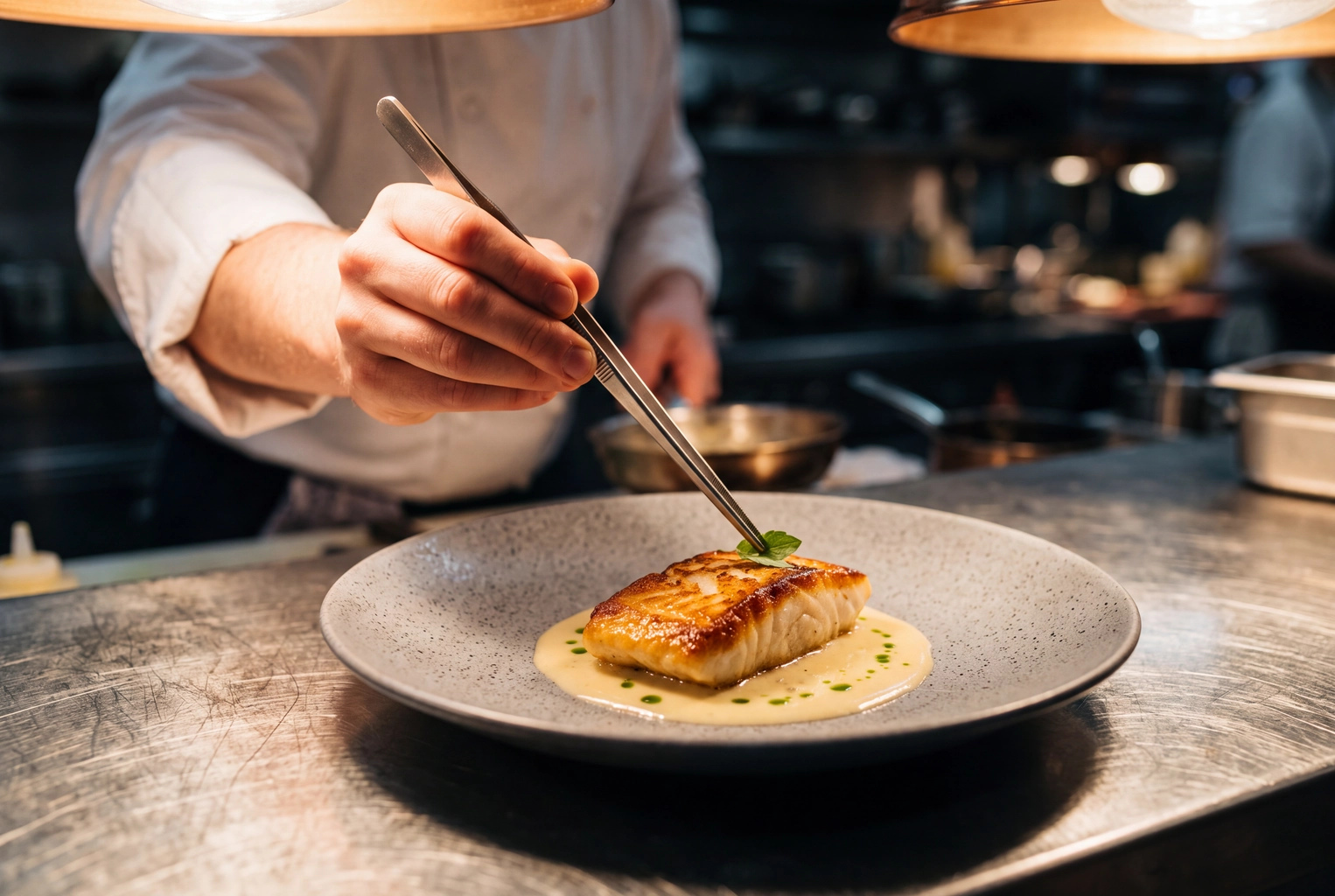 Chef's hand placing a herb leaf with tweezers on halibut in beurre blanc under heat lamps at a fine dining pass
28. Scallop crudo
Create a realistic editorial food photograph, camera just above the rim, of three slices of scallop crudo on a wide matte black plate, dotted with green apple, finger lime and dill oil. Light: one narrow source from the upper left, the rest in shadow. On dark slate. Crop: 4:5 with lots of negative space.
"Three slices" is a number the model can't round up.
29. Beetroot course on linen (shoot top-down)
Using the attached top-down photo of my beetroot course, keep the plating, every dot of sauce and each microgreen exactly where the chef placed them. Replace the pass with off-white linen. Light: soft, natural daylight from the top of the frame. Crop: 1:1, the course small and centred with wide margins. Mood: calm and refined.
Wide margins make a small portion look deliberate rather than mean.
30. Duck breast with cherry jus (shoot at 45°)
Using the attached photo of my duck breast with cherry jus, keep the slices, fat cap, jus and garnish untouched. Light: one soft, warm source from the right so the jus picks up a single highlight. Backdrop: deep charcoal. Crop: 3:2 with the duck off-centre to the left. Mood: candlelit dining room.
One highlight on a sauce reads as luxury. Ten read as grease.
31. Chocolate cremeux
Create a 45-degree shot in the style of editorial food photography: a dark chocolate cremeux quenelle with a smear of salted caramel and a shard of cocoa tuile, on a pale grey speckled stoneware plate. Light: soft, cool side light with open shadows. On warm grey plaster. Crop: 4:5. Mood: modern and restrained. Matte chocolate, no glossy plastic look.
Chocolate is where AI shine shows most, so "matte" is non-negotiable.
32. Garnish macro
Create an extreme close-up of one nasturtium leaf and three drops of herb oil resting on a pale velouté, with the focus on the leaf edge. Light: soft and diffused from above, with an ultra-shallow depth of field. Crop: 3:2. Mood: delicate and botanical. Real droplets with natural surface tension.
Detail shots work as the second image in a carousel, after the full plate.
33. Chef's tweezers at the pass
Create an eye-level photograph of a chef's hand placing one herb leaf with long tweezers onto halibut with beurre blanc at the pass. Stainless steel counter, warm heat lamps glowing above, the kitchen blurred behind. Crop: 3:2. Mood: focused, behind the scenes. No faces, no text.
Use it for recruiting or brand posts, never to show a dish you sell.
Drink prompts (34–40)
Drinks need light from behind. A backlit glass makes liquid glow, foam turn translucent and condensation read as cold, which front light never does. Shoot tall glasses at eye level, save top-down for latte art and matcha, and describe real ice, because models default to perfect cubes that look like plastic.
The same rules carry into beverage photography for bottled drinks, and our cocktail photography and drink photography guides cover glassware.
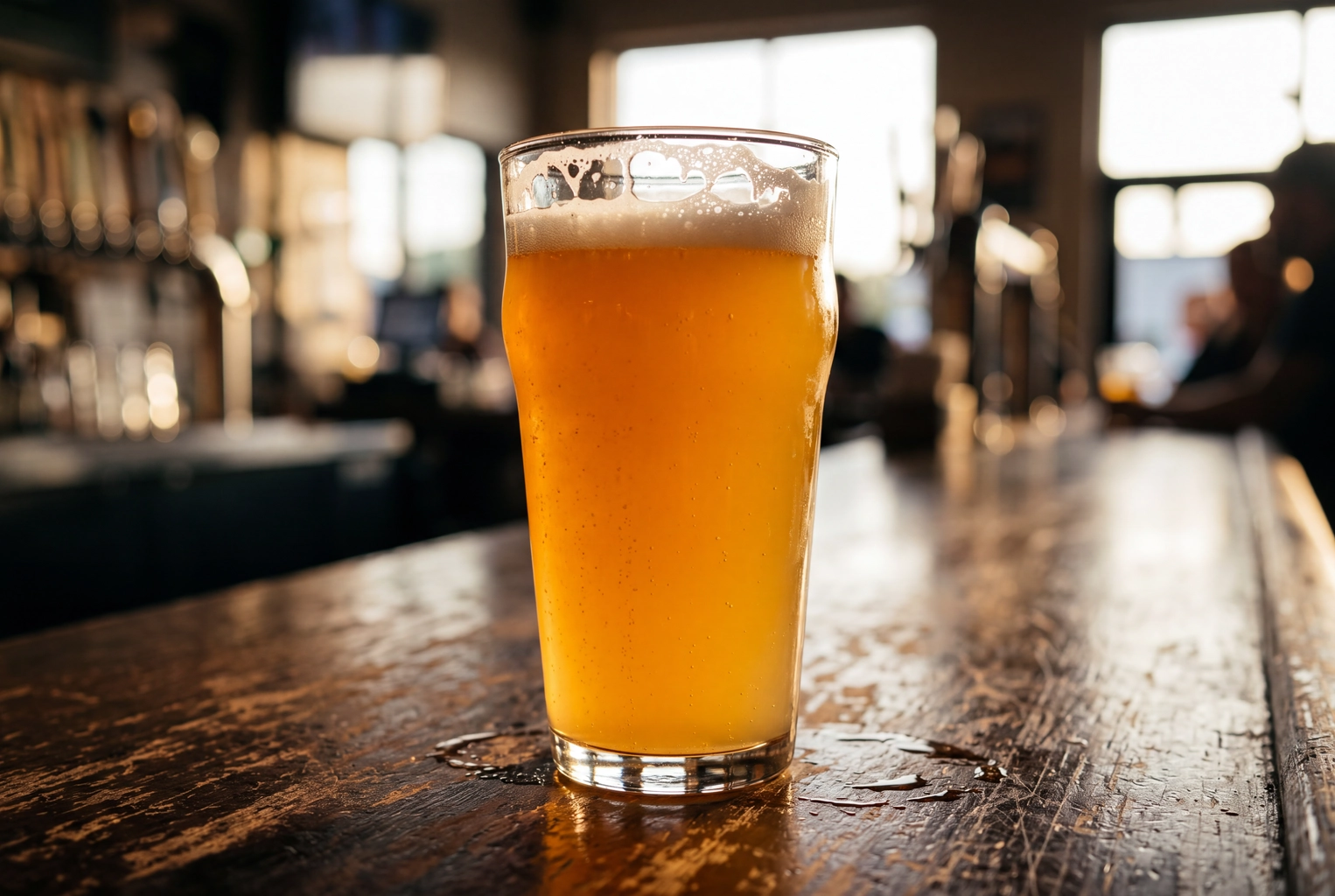 Backlit hazy IPA pint glowing gold on a wooden bar with foam lacing, a drink photography backlight example
34. Iced oat latte
Create an eye-level photograph of an iced oat latte in a tall ribbed glass, milk swirling into the espresso, condensation beading on the outside. Light: strong backlight from a window, with a white card filling the front. On pale travertine. Crop: 4:5. Mood: fresh café afternoon. Real ice with cloudy centres, not crystal blocks.
"Cloudy centres" is the detail that makes ice look like ice.
35. Gin sour in a coupe
Create an eye-level photograph of a gin sour in a chilled coupe with a thick white foam head, three drops of bitters and a lemon twist on the rim. Light: one hard backlight from behind the bar, with amber bottles out of focus. On a dark walnut bar top. Crop: 4:5. Mood: intimate. Real foam with small bubbles.
36. Iced matcha
Create an overhead photograph of an iced matcha latte in a clear tumbler, the green bleeding into the milk, beside a bamboo whisk and a ceramic matcha bowl. Light: soft, natural light from the right. On white oak. Crop: 1:1. Mood: clean and calm. True-to-life matcha green, not neon.
Matcha is the drink models oversaturate most, so name the shade.
37. Cold-pressed juice bottles
Using the attached photo of my three cold-pressed juice bottles, keep the bottles, caps, labels and liquid colors exactly as they are, and do not redraw the labels. Line them up on clean white with soft, even light from both sides and a gentle reflection under each. Add light condensation. Crop: 4:5. No extra text.
For a product shot, the label is the product. Never let a model retype it.
38. Hazy IPA
Create a side-on photograph of a hazy IPA in a pint glass, a two-finger white head still settling and small bubbles rising. Light: backlight from a taproom window so the beer glows gold. On a wooden bar top with a few spilled drops. Crop: 4:5. Mood: warm evening. Real foam lacing inside the glass.
39. Pinot noir
Create an eye-level photograph of pinot noir in a wide-bowled glass on a dark stone table, a sliver of light cutting across the bowl so the wine shows ruby at the edge. Light: one narrow source from the left, the rest in deep shadow. A cork and aged cheese sit out of focus behind. Crop: 4:5.
Red wine looks black unless light passes through the rim.
40. Hot chocolate with steam
Create a 45-degree photograph of thick hot chocolate in a mug, topped with toasted marshmallows, thin wisps of steam rising against a dark background. Light: warm, soft side light from the left, with blue dusk light in a window behind. Crop: 4:5. Mood: cozy winter evening. Natural steam, no smoke.
Warm light in front and cool light behind make a drink feel hot.
ChatGPT, Gemini or Midjourney: what changes in the prompt
The same food photography prompts work in all three tools. What changes is how you ask for the ratio, how you exclude things, and how faithfully each tool keeps an uploaded photo. ChatGPT and Gemini take plain sentences and edit your own photos; Midjourney uses parameters and is built around generating from text.
| ChatGPT | Gemini | Midjourney | |
|---|---|---|---|
| Ratio | Say it in words ("vertical 4:5"), then crop to the exact size | Say it in words, then crop | Add --ar 4:5 at the end |
| Exclusions | A sentence: "No text, no cutlery" | A sentence | The --no parameter |
| Your own photo | Upload it and describe one change | Upload it and refine in the same chat | Image references steer the look but don't lock your exact dish |
| Best for | Edit-mode jobs: menus, thumbnails, combos | Edit-mode jobs with quick follow-ups | Mood boards, ad concepts, generated drink scenes |
So ChatGPT food photography prompts can be pasted as written. For Midjourney food prompts, swap the "Crop" sentence for --ar and the "No…" sentence for --no. V8.2 has been Midjourney's default model since 24 July 2026, and its --raw parameter (older guides write --style raw) tones down the house style, which helps the result read as photography rather than painting.
7 fixes when the result looks fake
Most fake-looking AI food comes from vague quality words and too many changes at once. Swap adjectives for physical facts, change one slot per regeneration, and name the small imperfections that real food has.
- Delete "8K, ultra-detailed, hyperrealistic, perfect". They push gloss and symmetry; "natural texture, visible crumbs" works better.
- Change one slot per try. Change three things at once and you can't tell which one helped.
- Ask for matte. "Matte sauce, natural moisture, no plastic shine" fixes the waxy look on meat, cheese and chocolate.
- Count the garnish. "Three basil leaves" beats "garnished with basil", which returns a hedge.
- Drop cutlery and hands unless you need them. Forks and fingers are where models still warp shapes.
- Ask for true-to-life color. "Do not oversaturate" stops neon greens and orange tomatoes.
- Keep packaging plain. Generated labels come out as gibberish, so ask for "plain unbranded kraft packaging, no text".
If a result still looks off, put it next to real food photography of the same dish. Our piece on AI-generated food images shows where the two usually diverge.
When a prompt is the wrong tool
If you sell the dish, a prompt that invents it is the wrong tool; a photo of the real dish, restyled, is the right one, and it skips the studio shoot. That is the workflow FoodShot is built around for restaurants, cafés and food brands: you upload a phone photo, pick one of 200+ styles or your own reference image, and refine it with prompt edits such as "add the chili oil drizzle", "swap to a matte black plate" or "warmer light".
Use those edits to restore what the camera missed, like the drizzle the dish really ships with, never to add what the order doesn't include. Each FoodShot photo takes about a minute and comes out at 2K (2048 px). Plans start at $15 for 25 photos, every plan includes a commercial license, and there is no free plan. See AI food photography for the full workflow, Pinterest style transfer to match a look you've saved, or pricing.
Our roundups of the best food photography apps and AI food photo editors cover the other options. Remember the Deliveroo exception, though: generative edits from any tool are out there.
Frequently Asked Questions
What makes a good food photography prompt?
Good food photography prompts name the dish with two or three visible textures, then fill six slots: angle, light, surface, plate and props, crop and mood. They end with exclusions such as "no text, no extra garnish". Specific physical words beat quality adjectives every time.
Can I use AI-generated food photos on Uber Eats or DoorDash?
Not for dishes generated from text. Uber Eats requires photos that accurately represent the item, and DoorDash requires the actual item served and bans "evidently AI-generated images" for virtual brands. Enhancing a real photo of the dish (lighting, background, crop) is the defensible route on both.
Does Deliveroo allow AI-edited food photos?
No. Since 9 October 2026, Deliveroo's partner policy bans images created in whole or in part with generative AI, and existing images substantially changed using AI, even when labelled. Stick to conventional edits: crop, exposure and white balance.
What aspect ratio should delivery app photos use?
Uber Eats recommends 5:4 to 6:4, DoorDash requires landscape 16:9 at 1400 × 800 px or more, and Deliveroo wants landscape at 1200 × 675 px or more, which it crops to a square. Keep the dish centred with a margin so every crop survives.
Why do my AI food images look fake?
Usually because the prompt asks for perfection instead of physics. Remove "8K" and "hyperrealistic", ask for matte texture, count the garnish, drop the cutlery and request true-to-life color. Then change one slot per regeneration.
Is ChatGPT, Gemini or Midjourney better for food photography?
For editing a photo of your real dish, use ChatGPT or Gemini: both accept an uploaded photo and a plain-language instruction. For generated concept images and mood boards, Midjourney's ratio, exclusion and raw parameters give you fine control over the look.